On this page · 8 sections
Quick answer
Daylight saving time ends Sunday, Nov. 1 at 2 a.m. local time, when clocks go back to 1 a.m. Your phone should change on its own if automatic time is on. iPhone: Settings > General > Date & Time > Set Time Automatically. Pixel: Settings > System > Date & time > Set time automatically. Samsung: Settings > General management > Date and time > Automatic date and time. Then change stove, microwave, car and plain alarm clocks by hand.
If the time is wrong on Nov. 1, install pending software updates and restart. On iPhone, also turn on Privacy & Security > Location Services > System Services > Setting Time Zone. On Android, turn on Automatic time zone (and Use location if you see it). Still wrong? Turn automatic time zone off and pick your time zone by hand.
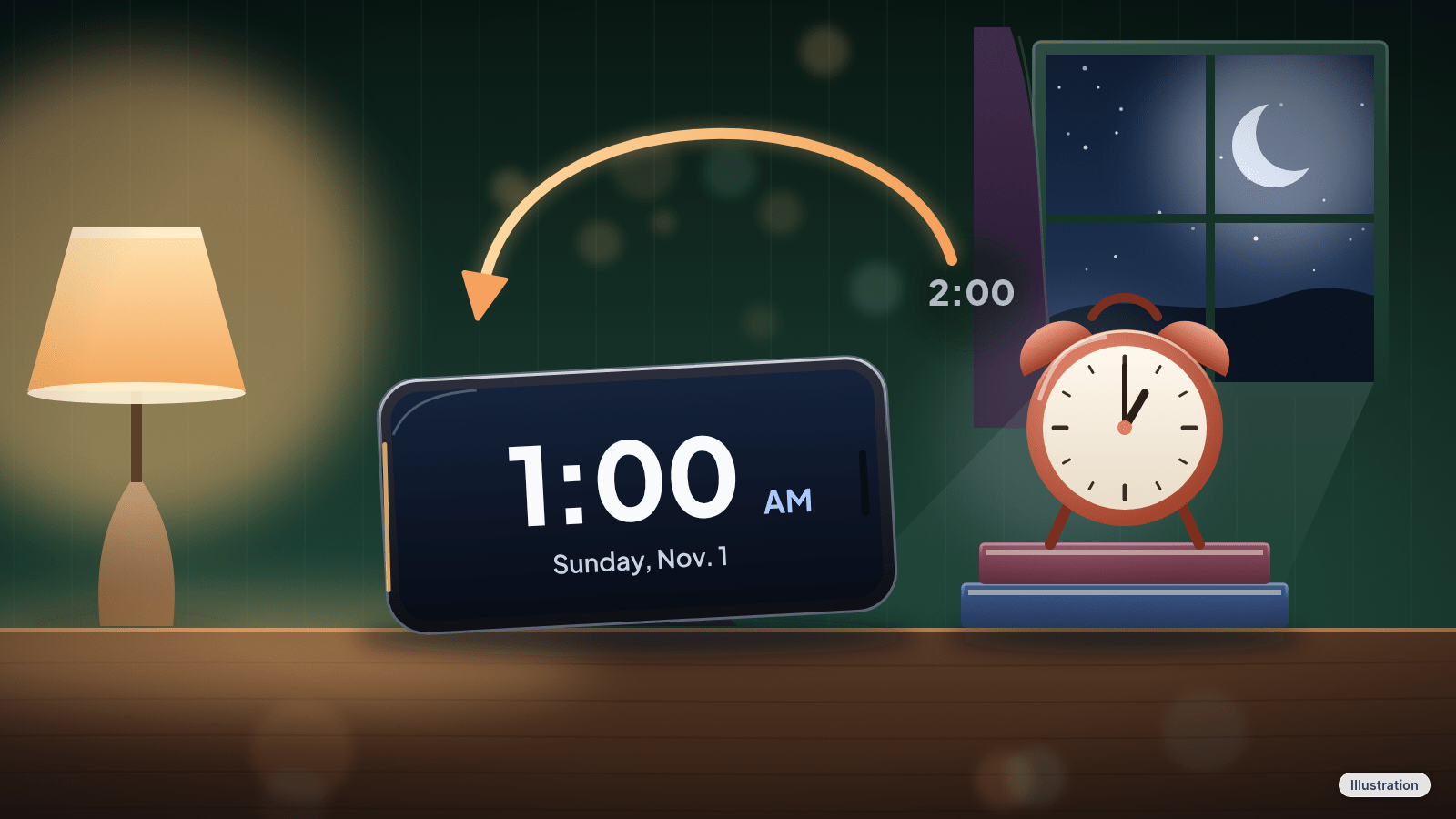
Sunday morning, Nov. 1, at 2 a.m., the clock goes back to 1 a.m. and that hour plays again. Daylight saving time is over for the year in most of the US, and you get an extra hour.
Your phone should handle it on its own. But if one setting is off, you could wake up an hour early, or late, with no idea why. Take 10 seconds now to check it. Then change the clocks that can't fix themselves.
Easy Mode: check your phone, then the rest of the house
Takes about a minute. Free. Do it any time before Sunday.
1. Make sure your phone sets its own time
If this is on, your phone should change for daylight saving time by itself. Leave it on and connected overnight.
iPhone:
- Open Settings > General > Date & Time.
- Make sure Set Time Automatically is on. On older iPhone software, it's called Set Automatically.
Google Pixel:
- Open Settings > System > Date & time.
- Make sure Set time automatically is on. If you see a time zone switch, like Automatic time zone or Set automatically under Time zone, turn it on too.
You can also get there from the Clock app: tap More > Settings > Change date and time, then turn on Automatic date and time and Automatic time zone.
Samsung Galaxy:
- Open Settings > General management > Date and time.
- Make sure Automatic date and time is on. Turn on Automatic time zone too.
On a Samsung, the automatic time usually comes from your mobile network, so the phone may need a signal or an internet connection to update.
Other Android phones: open Settings and search for Date and time, then turn on the automatic options.
2. Check your alarm on Sunday morning
Once your phone shows the right time, open the Clock app and glance at your next alarm. If the time on the phone is right, you're set.
3. Change the clocks that don't change themselves
Clocks that don't connect to the internet or a time signal need to be set back by hand. Common ones:
- The stove and the microwave
- The car (many dashboards need a manual change; check your owner's manual if you're not sure how)
- Plain bedside alarm clocks and wall clocks
- Other gadgets with a built-in clock that doesn't connect to the internet
"Atomic" or radio-controlled clocks usually change by themselves on the right day, because the time signal they pick up includes daylight saving time. If one is wrong after Sunday, look for its sync indicator (it may not have picked up the signal) and check that its time zone setting is right.
4. If your phone's time is wrong on Sunday
- Install any waiting updates, then restart. iPhone: Settings > General > Software Update. Android: check Settings for system updates. If your iPhone shows a message that updated time zone information is available, restart it, and restart a paired Apple Watch too.
- Let your phone use your location for the time zone. iPhone: Settings > Privacy & Security > Location Services > System Services, then turn on Setting Time Zone. Android: open Settings, search for Date and time, then turn on Automatic time zone plus the Use location option under it if you see one.
- Still wrong? Set the time zone yourself. iPhone: Settings > General > Date & Time, turn off Set Time Zone Automatically (or Set Automatically), then tap Time Zone City (or Time Zone) and pick a city in your time zone. Samsung: Settings > General management > Date and time, turn off the automatic switches, then tap Select time zone. Pixel: Settings > System > Date & time, turn off automatic time zone, then tap Time zone.
Our read: if you set a time zone by hand, pick your city's zone (like Eastern or Pacific), not a fixed offset. On a Samsung, a manual time zone still changes for daylight saving time on the right date.
Cheat code
Set a reminder for Sunday morning: "Check stove, microwave and car clocks." Let your phone remind you about the clocks your phone can't fix.
Still stuck?
- The setting is grayed out on iPhone → It might not be available with every carrier, or a Screen Time passcode or a work or school profile may be blocking it. Ask whoever manages the phone, or set the time zone by hand (Step 4).
- Your phone jumped an hour but you live where clocks don't change → Make sure the time zone is your own, like Puerto Rico's Atlantic time or Arizona's Mountain Standard time, not a zone that observes daylight saving time. Then turn the automatic time options back on.
- Your calendar events look an hour off → First fix the phone's time and time zone. Events should go back to normal once the time is right; if one is still off, open the event and edit its time.
Pro Mode
Pro Mode Pro Mode: where clocks don't change, and travel
- Places that don't change: Hawaii, Puerto Rico, the US Virgin Islands, Guam, the Northern Mariana Islands, American Samoa and most of Arizona stay on standard time all year. The exception in Arizona is the Navajo Nation, which does observe daylight saving time, so its clocks fall back on Sunday too. If you live in one of these places, your phone shouldn't change on Sunday.
- Exactly what happens: daylight saving time ends at 2 a.m. local time on the first Sunday in November. At 2 a.m. the time becomes 1 a.m., and that hour repeats, so Sunday has 25 hours. Each time zone switches at its own 2 a.m.
- Next change: daylight saving time starts again on the second Sunday in March, when clocks spring forward one hour.
- Heading to Canada? British Columbia, Alberta, Manitoba, parts of northwestern Ontario and the Northwest Territories aren't falling back this year. Some Android phones, Chrome devices, smartwatches and Google Calendar might still switch there if they haven't gotten the latest updates. Update and restart before you go, and check the time when you land.
- Want to see the official time? time.gov shows the official US time for each time zone.
The bottom line
Check one switch now: automatic date and time. Then set the stove, microwave, car and plain alarm clocks back an hour on Sunday, and enjoy the extra hour of sleep.
References
All 11 reference links
- NIST: Daylight Saving Time Rules
- NIST: time.gov, official US time
- Apple Support: If you can't change the time or time zone on your Apple device
- Apple iPhone User Guide: Change the date and time on iPhone
- Pixel Phone Help: Set time, date and time zone
- Pixel Phone Help: How to fix Wi-Fi connection problems (turn on automatic date settings)
- Android Help: Set time, date and time zone
- Samsung US: Change the date and time on your Galaxy phone or tablet
- Samsung US: Calendar events or time and date are inaccurate on Galaxy phone or tablet
- Google Canada blog: What the Canadian time zone changes mean for your Google products
- US Department of Transportation: Daylight Saving Time
Never miss a cheat code
Get a new 60-second fix every day: follow on TikTok, YouTube or Instagram.
Want AI to answer your clients?
Our ready-made AI setups come with a step-by-step guide in Easy Mode and Pro Mode. You set them up yourself.
See the AI setupsRelated fixes

Phone Battery Draining Fast? Free Fixes for iPhone and Android
Phone battery dying by lunch? Find what's draining it and fix it free on iPhone, Pixel or Samsung Galaxy before you pay for a new battery or phone.
Phones & Storage · 5 min read
Phone Charging Myths: What's Real, What's Fake and the Best Way to Charge
Is overnight charging bad? Is 20-80% best? We rate 12 phone charging myths True, False or Partly true and share free habits that keep your battery healthy.
Phones & Storage · 15 min read
Phone Won't Charge? 6 Free Fixes for iPhone and Android
iPhone, Pixel or Galaxy not charging, or stuck at 80%? Swap the charger, clear the port safely, restart, and check heat, moisture and battery settings.
Phones & Storage · 9 min read