On this page · 8 sections
Quick answer
Card or bank details? Contact your bank now through its app, its official website or the number on the back of your card. Password? Change it, plus on any site where you reused it, and turn on two-step verification. Remote access? Hang up, go offline, remove what they had you install and run a full security scan. Social Security number? Freeze your credit at all three bureaus today, free.
Triage by exposure: payment rails first (dispute or reversal), then credentials (reset, revoke sessions, 2FA), then the endpoint (uninstall, full or offline scan, check remote-access permissions, reset if in doubt), then identity (freeze at Equifax, Experian and TransUnion, fraud alert, IdentityTheft.gov recovery plan). Report at ReportFraud.ftc.gov.
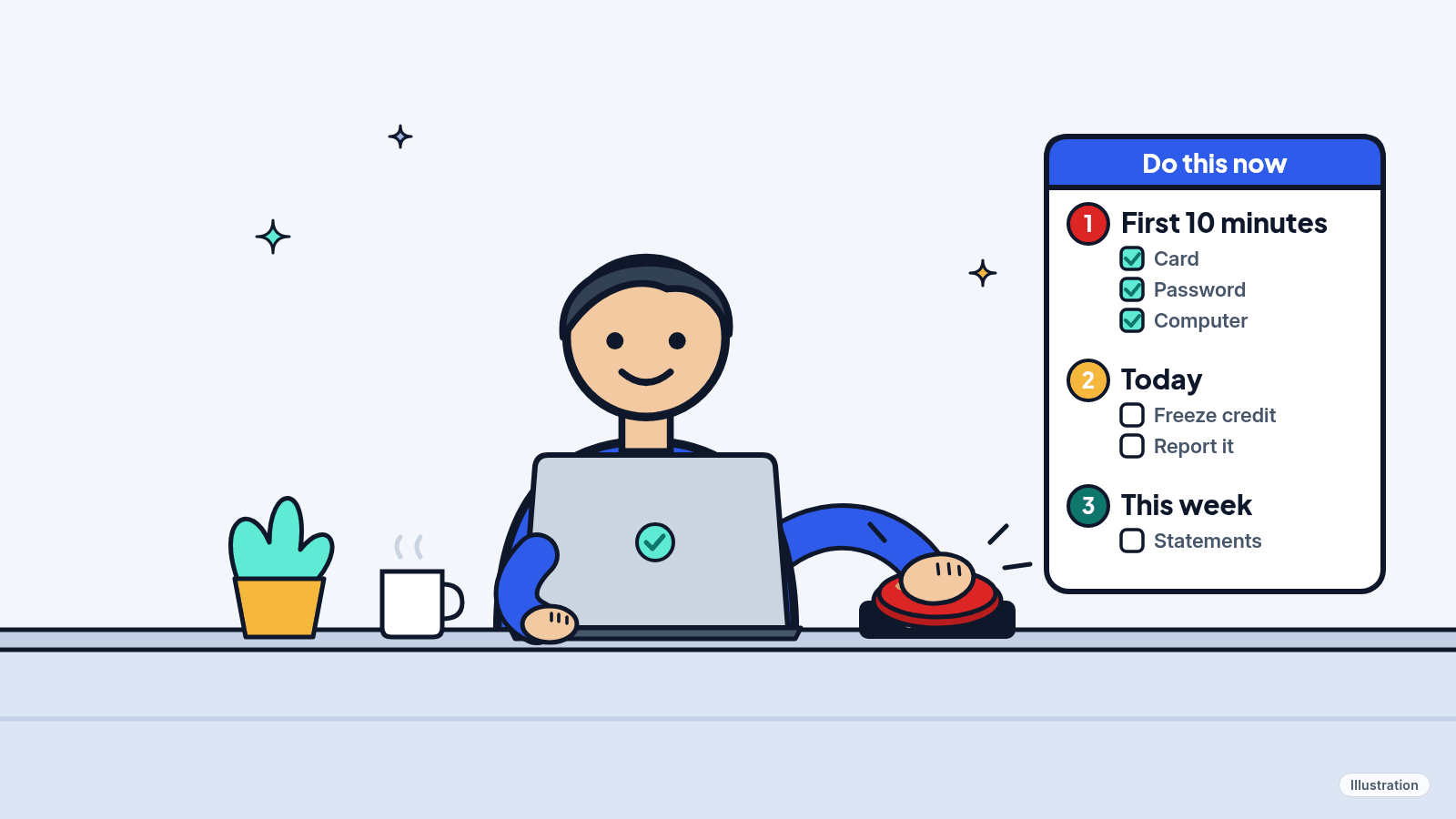
It happens to careful people too. What matters now is speed. Do the steps that match what you shared, in this order, and skip the ones that don't apply.
These steps are for your own accounts and devices. If the account or computer belongs to someone else, like your employer, school or internet company, tell them through their official website or IT help desk and let them handle it.
Easy Mode: what to do, most urgent first
Free. The first three steps take about 10 minutes. Not sure it was a scam? Our 4 warning signs will tell you.
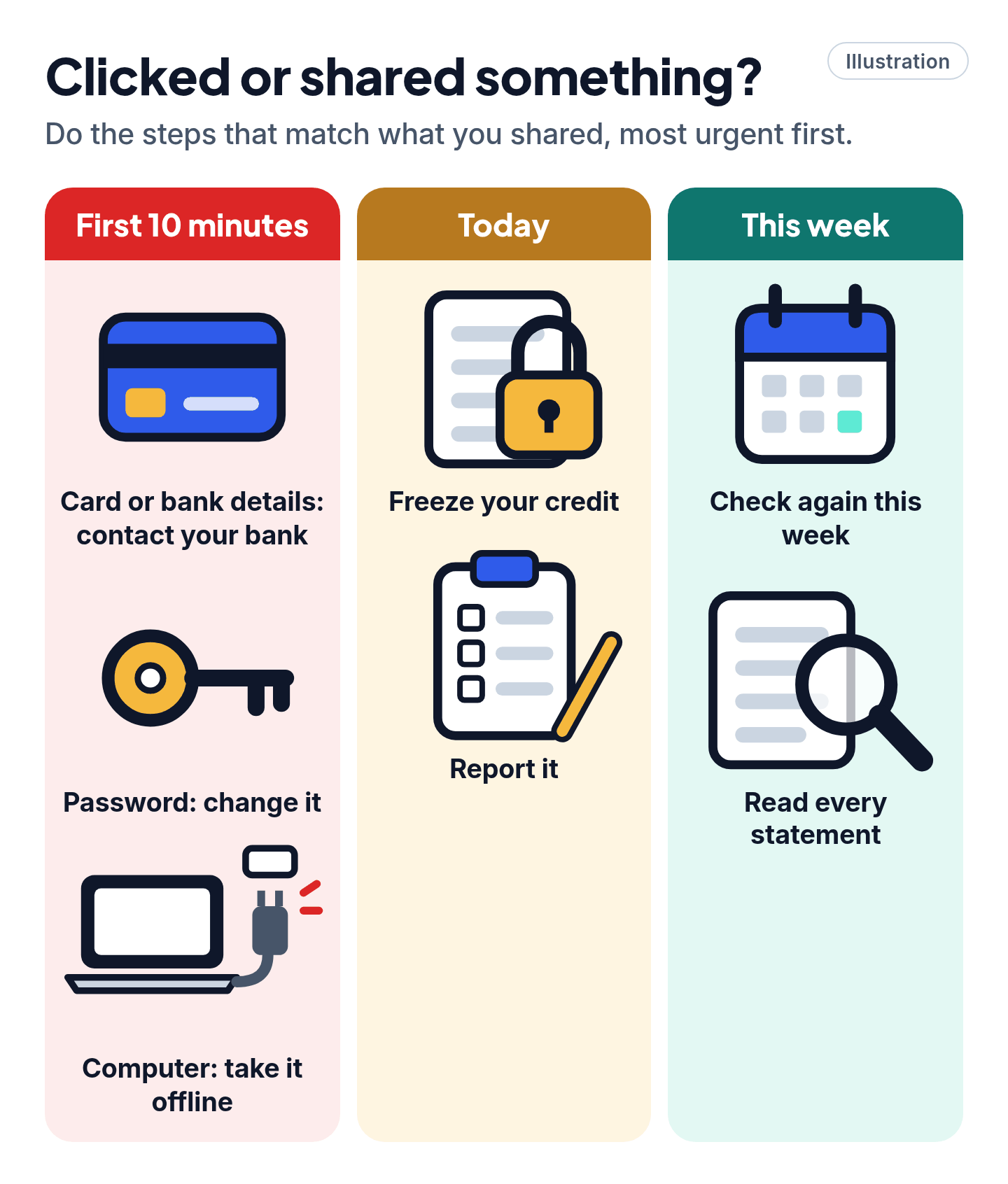
1. First 10 minutes: gave a card or bank details? Contact your bank
- Credit or debit card: call the number on the back of your card, or use the bank's app or official website. Tell them a scammer has the number. Ask for the card to be canceled and replaced, and dispute every charge you didn't make.
- Bank transfer, Zelle or another payment app: tell your bank or the app's support team at once, through its app or official website, and ask whether the payment can be stopped or undone.
- Gift card: contact the company named on the card, using the number on the back or its official website, and ask about a refund. Keep the card and the receipt.
Never use a number or link from the scam message. Our read: the sooner you report card charges, the better your chance of getting them taken off.
2. First 10 minutes: gave a password? Change it
- Type the site's address yourself (or use its app) and change the password. Make it long and new.
- Reused that password on other sites? Give each of them a new one too.
- Turn on two-step verification (also called two-factor authentication) on that account.
- Was it your email password? Do that one first. Whoever controls your email can reset your other passwords.
3. First 10 minutes: let them into your computer? Cut them off
- Hang up, then take the computer offline. Turn off Wi-Fi or unplug the network cable. A remote-access program can't reach your computer without the internet, so this ends their session even if the program is still running.
- Uninstall anything they had you install. Windows: open Start, find the program in All apps, right-click it and choose Uninstall. Mac: if the app came with its own uninstaller, use that (Apple says it's the best way); otherwise drag the app from the Applications folder to the Trash.
- Run a full scan (Windows). Open the Windows Security app, go to virus and threat protection, then Scan options > Full scan > Scan now. It can take a while, so leave it running.
- Mac: also turn off screen sharing and remote management (see Pro Mode).
- Change your passwords from a different device, like your phone, starting with email and banking. Then reconnect the computer and install updates.
4. Today: gave your Social Security number? Freeze your credit
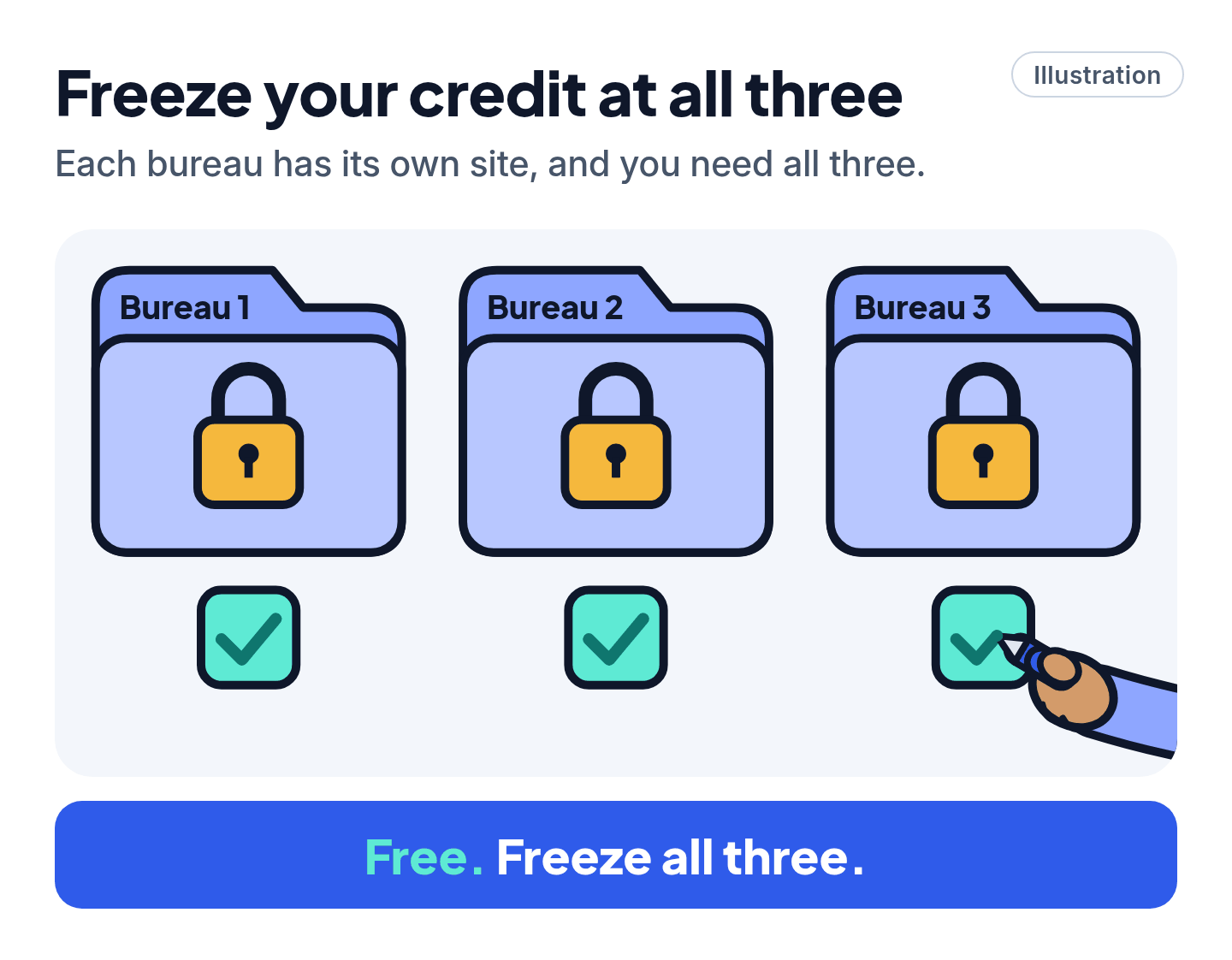
A credit freeze stops most lenders from pulling your report, so a thief can't open a loan or card in your name. It costs nothing, your score isn't affected, and it stays on until you turn it off. You have to freeze at each of the three bureaus, on their own sites:
- Equifax: place the freeze online through a myEquifax account (you must be 18 or over to open one). Placing and lifting an Equifax freeze is free.
- Experian: freeze and unfreeze online in real time with a free account.
- TransUnion: use its free Service Center account. Online freezes take effect almost immediately.
Our read: do this before anything else today. It takes about 15 minutes for all three, and it's the step that stops new accounts.
Cheat code
Freeze, don't pay for monitoring. A freeze at all three bureaus is free and blocks new credit. Need a loan or a new card later? Lift it for free while you apply, then put it back.
5. Today: report it and get a plan
- Your SSN or identity was used (a new account, a loan, a tax return you didn't file)? Go to IdentityTheft.gov. You get an official Identity Theft Report and a step-by-step recovery plan.
- SSN exposed but no sign it's been used? IdentityTheft.gov has a checklist for that too, at IdentityTheft.gov/databreach.
- Any scam, even if you lost nothing: file a report with the FTC at ReportFraud.ftc.gov. The FTC won't take on your case one-to-one, but law enforcement uses the reports to track scammers, and you'll see suggested next steps.
6. This week: watch your accounts
- Read every statement for charges or changes you don't recognize, like a new address.
- Check your credit reports. They're free every week at AnnualCreditReport.com. Look for accounts you didn't open.
- Got a new card? Update any automatic payments with the new number.
- Turn on two-step verification for email, banking and shopping accounts, if you haven't yet.
Watch out for the second scam
Scam warning
- "We can get your money back, for a fee." Fake recovery services go after people who have just been scammed. Don't pay anything upfront to get money back, and remember that no government agency will make you pay to get your money back.
- "Move your money to keep it safe." The FTC says no real government agency will tell you to move your money, pull out cash or buy gold to protect it. Treat that request as a scam, even from someone who says they're your bank or the police.
- A call or pop-up about your "hacked" computer? A genuine security alert won't tell you to phone anyone. Reach companies only through their official websites.
Still stuck? Find your situation
| What you shared | First move | Then |
|---|---|---|
| Card number | The number on the back of the card, or the bank's app | Dispute charges, get a new card |
| Bank login or account number | Your bank, through its app or a statement | Change the password; ask about closing the account |
| A password | Change it, and anywhere you reused it | Two-step verification |
| Remote access | Hang up, uninstall, full scan | Change passwords from another device |
| Social Security number | Freeze at all three bureaus | IdentityTheft.gov |
Your email itself hacked? Change its password first, then sign out of all other devices and turn on two-step verification. Locked out completely? Go to your email provider's official account recovery page, typed in yourself.
Pro Mode
Pro Mode Pro Mode: deeper cleanup and identity protection
Fraud alert vs. freeze. A fraud alert costs nothing and runs for a year. Ask any one bureau, and it has to pass the alert to the other two. Lenders who see it are expected to confirm your identity, usually by getting in touch with you, before approving credit. For a seven-year extended alert, you first need an identity theft report from IdentityTheft.gov or the police. Our read: use both if your SSN is out there. The alert covers lenders who check, the freeze blocks access.
Lifting a freeze smartly. The FTC suggests asking which bureau a lender uses and lifting the freeze only there, then putting it back once the credit check is done.
Stop your SSN being used for jobs. IdentityTheft.gov suggests opening an E-Verify account (e-verify.gov/mye-verify) and locking your number there, to stop someone else using it to get hired. Unlock it before you apply for a job yourself. To spot someone working under your number, look over your earnings record in a my Social Security account (socialsecurity.gov/myaccount).
File taxes early. Getting your return in first makes it harder for a thief to file one in your name. Reply quickly to any letter from the IRS. You can also get an IRS Identity Protection PIN at irs.gov/ippin: a six-digit number that stops anyone else filing a tax return with your Social Security number.
Deeper Windows scan. In the Windows Security app, go to virus and threat protection > Scan options > Microsoft Defender Antivirus (offline scan) > Scan now. It restarts the PC and scans before Windows loads, which helps with malware that hides. Save your work first. Results: Protection history.
Mac: check what can see or control your screen. Apple menu > System Settings > General > Sharing: turn off Screen Sharing and Remote Management unless you use them. Then Privacy & Security > Screen & System Audio Recording, Accessibility and Remote Desktop: turn off any app you don't recognize.
Still seeing fake errors or pop-ups after the scan? Microsoft says to consider resetting a PC that scammers got into, and that a reset may be the best option if fake error messages keep popping up. Back up your files to an external drive or cloud storage first.
Install updates. Windows 11: Start > Settings > Windows Update > Check for updates. Windows 10: Start > Settings > Update & Security > Windows Update > Check for updates. Windows 10 support ended on October 14, 2025, so a Windows 10 PC only keeps getting security fixes if it's signed up for Extended Security Updates. Our Windows 10 end of support guide shows how.
Report fake Microsoft support at microsoft.com/reportascam.
You've got this
Move fast on money and passwords, freeze your credit if your SSN is out, then report it. Most of the damage scammers do comes in the first hours, and you've just shut those doors.
Sources
The 23 pages we checked
- FTC Consumer Advice: What To Do if You Were Scammed
- FTC Consumer Advice: What To Know About Credit Freezes and Fraud Alerts
- FTC Consumer Advice: How To Spot, Avoid, and Report Tech Support Scams
- FTC Consumer Advice: Refund and Recovery Scams
- FTC: ReportFraud.ftc.gov
- FTC: IdentityTheft.gov
- FTC: IdentityTheft.gov, data breach steps
- FTC: IdentityTheft.gov, what to do right away
- Equifax: Security Freeze
- Experian: Freeze or unfreeze your credit file
- TransUnion: Credit Freeze
- Microsoft Support: Protect yourself from tech support scams
- Microsoft Support: Virus and threat protection in the Windows Security app
- IRS: Get an Identity Protection PIN (IP PIN)
- Microsoft Support: Install Windows Updates
- Microsoft Support: Windows Update: FAQ
- Microsoft: Windows 10 Consumer Extended Security Updates (ESU)
- E-Verify: myE-Verify
- Microsoft Support: Uninstall or remove apps and programs in Windows
- Apple Support: Delete or uninstall apps on Mac, Turn Mac screen sharing on or off, Change Privacy & Security settings on Mac and Control access to screen and system audio recording
More free guides are on the way.