
On this page · 3 sections
Microsoft 365 Family used to give every person on the plan 1TB of OneDrive storage, which added up to 6TB for a full household of six. Since Thursday, Oct. 8, a new Family or Premium subscription comes with 2TB for the whole group to share, at the same price.
That is a cut of two-thirds in the most a plan can hold. Existing subscribers get it too, just later: nothing changes until the first renewal on or after Sunday, May 2, 2027, unless you switch plans before then. Microsoft sends an email ahead of that renewal.
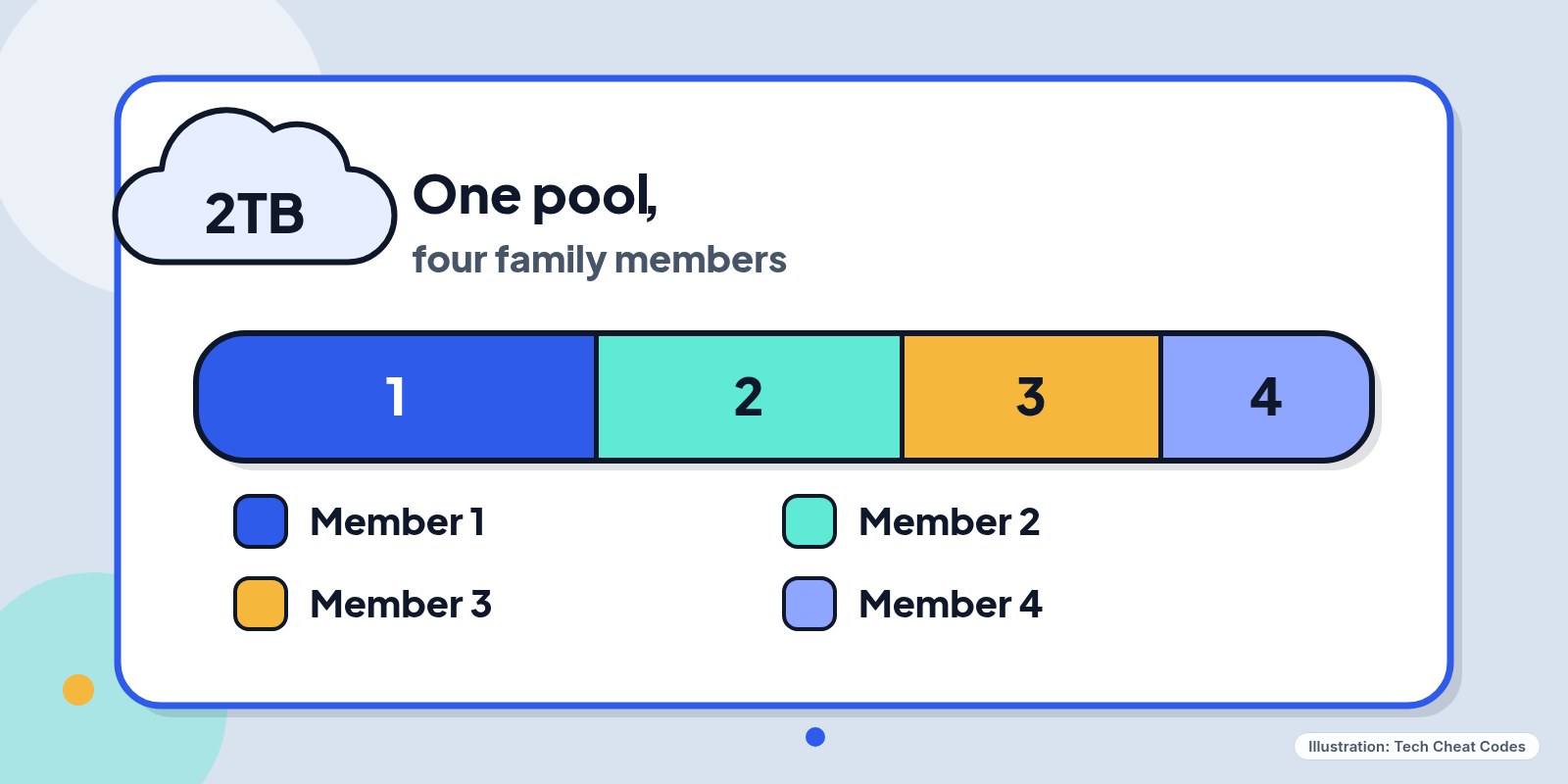
Illustration: Tech Cheat Codes
Who loses space and who gains it
The old setup gave each of up to six people their own 1TB, so one heavy user couldn't crowd out anyone else. The new one puts everyone in a single 2TB pool. A household where one person keeps a big photo library and the others barely use OneDrive comes out ahead, because that person can now use more than 1TB. A household where three or four people each hold several hundred gigabytes is the one that can run into the ceiling.
Family is $13 a month or $130 a year, and Premium gets the same storage change. Microsoft 365 Pro gets a shared 5TB. Personal stays at 1TB for the one account holder, and the free Basic tier stays at 100GB. The same update also lets plan members share AI usage with up to five other people.
Some existing subscribers in supported markets may get transitional bonus storage. The support page gives no amount and no rules for who qualifies, so don't plan around it.
More than OneDrive documents count. Storage covers OneDrive files and photos, including camera roll uploads and screenshots, plus the OneDrive Recycle Bin, Outlook.com attachments and inline images, Teams attachments and recordings, Loop notes and Designer images. Deleted files in the Recycle Bin still count until it is emptied.
Each member signs in at onedrive.com and opens Manage storage, which shows how much space that account has used and which plans and bonuses apply. On a Windows PC, click the OneDrive cloud icon in the taskbar, choose the gear for Help & Settings, then Settings, and the storage figure and a Manage storage link are there.
Before the switch, you can't see anyone else's number, so you have to ask. Add up the figures. After a plan moves to shared storage, the owner and members can see a breakdown of their own usage and only the total used by everyone else. Nobody sees another member's files.
Before your plan switches
Read your renewal date first. It is listed at account.microsoft.com/services/microsoft365. The rule is the first renewal on or after May 2, 2027, so a monthly plan moves within a month or so of that date. Read literally, an annual plan that renews in March 2027 has its first renewal on or after May 2 in March 2028. Microsoft's page doesn't walk through that case, so check the email you get before renewal.
If your household total is well under 2TB, there is nothing to do. If it is close or over, you have a few options. Empty the Recycle Bin, delete duplicate downloads and old Teams recordings, and move archives you rarely open to an external drive, after confirming the copy opens. Add-on packs come in 100GB, 500GB, 1TB and 6TB sizes, up to 10TB total, and the plan owner can assign them to members. The support pages we checked don't list prices, so look at the price before you commit. A household with two people near 1TB each might also compare separate Personal plans.
Don't change plans early by accident. Upgrading, say from Family to Premium, before May 2, 2027 moves you to the shared model right away with the 2TB allocation. Downgrading alone doesn't trigger it, and the subscription stays on its current terms until that first renewal.
Going over doesn't delete anything. A subscription that exceeds the shared limit gets notifications, and files stay accessible for up to one year while you free space, buy more or upgrade. A separate Microsoft storage FAQ also describes an "Account frozen" message (error code 0x8004def7) for accounts over their allowance. The files remain in OneDrive but can't be opened until the account is back under its quota. Microsoft doesn't spell out how that squares with the one-year window for shared plans, so treat the notifications as a deadline to act on.
Cancelling is done on the same Microsoft account page. Benefits continue through the end of the billing period you already paid for.
References
- Source: Microsoft Support, Changes to Microsoft 365 storage
- Source: Microsoft Support, Microsoft storage FAQs
- Source: Microsoft Support, How to access OneDrive settings
- Source: Engadget, This Microsoft 365 Family plan cloud storage change may leave you frustrated
- Source: The Verge, Microsoft 365 Family and Premium shared AI features and storage changes
Never miss a cheat code
Get plain-English tech fixes and scam alerts: follow on TikTok, YouTube or Instagram.
Related fixes

Wi-Fi Keeps Dropping? 6 Free Fixes for Phones, Laptops and Smart Devices
Wi-Fi keeps dropping? Find what's cutting out and fix it free: restart in the right order, move the router, pick the right band. You don't need a booster.
Wi-Fi & Internet · 6 min read
Why Is My Computer So Slow? 6 Free Fixes to Try Before You Buy Anything
Why is my computer so slow? Find what's hogging your PC or Mac, cut startup apps, free up space and update with free built-in tools. No cleaner apps.
Computers · 6 min read
Forgot Your Wi-Fi Password? How to Find It on Your Phone, Computer or Router
Forgot your Wi-Fi password? Find it free on any iPhone, Android, Windows PC or Mac that's already connected, or on the sticker on your router.
Wi-Fi & Internet · 5 min read