On this page · 9 sections
Quick answer
Don't delete it yet. Get back into the account, change the password, turn on two-step verification and remove any forwarding or filters you didn't set up. Then change the passwords on the sites tied to that address. If you still want a new address after that, move over slowly and delete the old one last.
Your email got hacked, you're scared of what else the thief can reach, and deleting the whole account sounds like the clean fix. Kill the address and nothing can come through it. It's a reasonable thought. It can backfire.
Asked on Quora: My email got hacked. I'm scared if they can access any of my accounts. How do I fix it or move it, like just destroy the email?. We answered it there too.
The person who asked that was worried about their other accounts, and that worry is the one to act on.
iThis page has affiliate links. If you buy through one, we may earn a small commission at no extra cost to you. Learn more.
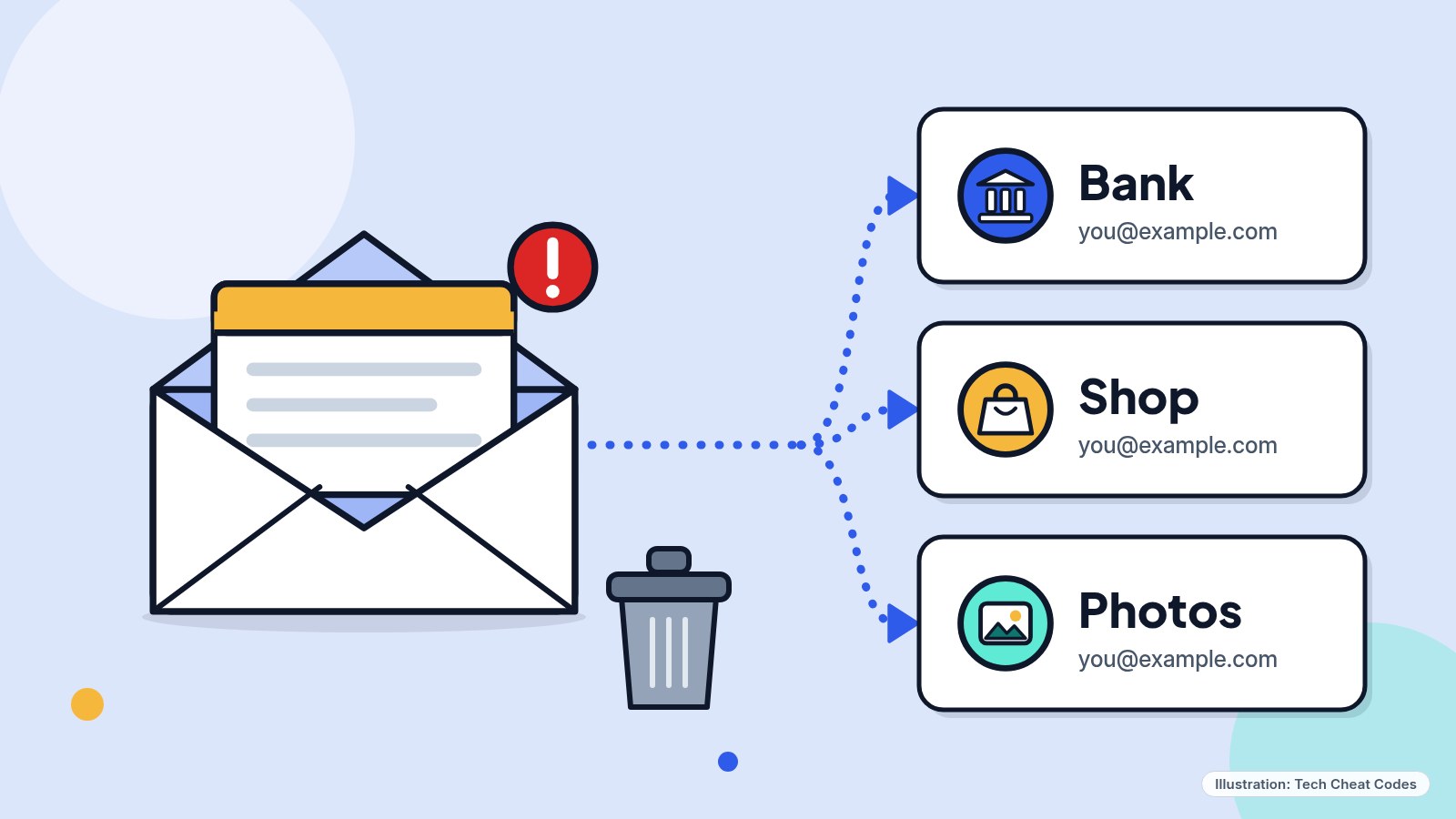
Every account that uses your address as its login or contact is tied to it. Deleting the address doesn't untie them. Illustration: Tech Cheat Codes
What to do
Don't delete anything yet. Get back into the account first. Then change the password, turn on two-step verification and remove any forwarding rule or filter you didn't set up. After that, change the passwords on the sites tied to that address, starting with your bank. If you still want a different address once all of that is done, move over slowly and delete the old one last. Our guide to a hacked email account has the full steps for Gmail, Outlook.com, Yahoo Mail and iCloud Mail.
Why deleting can backfire
You can't delete an account you can't sign in to. Google, Microsoft and Yahoo all start the delete from a signed-in page, and Microsoft spells it out: to close an account, you need to be able to sign in. If the thief changed your password, the delete button sits behind a lock you don't have the key to. If you can sign in, you're already in a position to fix the account instead of throwing it away.
The clock also runs against you. Gmail deletes your emails and settings 30 days after you remove it. Google can sometimes return the address if you change your mind, but after a while the emails may not come back. Microsoft closes an account on a countdown you pick, 30 or 60 days, and when it ends your data and content are deleted. Yahoo gives you 30 days in most countries to sign back in, and once an ID is permanently deleted, nobody can use it again, you included.
Even a delete that works can be half of one. Removing Gmail takes out Gmail only. The Google Account stays, along with the Google Play purchases and activity attached to it.
The bigger problem is everything else that points at that address. After Gmail is removed you can no longer send or receive email there, so a "forgot password" message from your bank may have nowhere to land. Any site where you sign in with the address, or that contacts you through it, is tied to it, and for a hacked Google Account the advice is to change the password on each of those sites. Delete first and those sites still point at an address you've shut down.
Do it in this order
-
Get back in. Use the recovery tool for your provider: Google's account recovery, the Microsoft sign-in helper, or Yahoo's Sign-in Helper. Google's tool asks questions to confirm the account is yours. Answer as best you can, because wrong guesses don't lock you out of the process. If the thief deleted the account, Google's recovery page covers that too, and sooner is better, since an account deleted a while ago may not come back. Skip any company that offers to get you in for a fee: Google doesn't work with any service that claims to provide account or password support, and you can't call Google for sign-in help, so the offer isn't coming from them. You're done when you reach your inbox and the provider has you set a new password.
-
Change the password from a scanned computer. Run a full security scan on your computer before you type the new password, since malware on the machine could capture it. Then set a password you haven't used anywhere else. In a Google Account, go to your Google Account > Security & sign-in > Review security events, and then Your devices > Manage devices, and remove any device you don't recognize. For Outlook.com, Yahoo and iCloud, the same checks are in our hacked email guide.
-
Turn on two-step verification and clear out what the thief set up. With two-step verification on, a stolen password alone won't get anyone in. Our two-step guide covers each provider. In Gmail, remove any labels, filters or forwarding rules you didn't set up, because a forwarding rule keeps copying your new mail to someone else even after the password changes. Check the recovery phone and recovery email too. If the thief swapped those, they can ask for a way back in later.
-
Change the passwords tied to the address. Start with your bank and any other email accounts, then work down. Change any password you reused on this account and another site. Do this after steps 1 to 3, because a password you change while the thief still has the inbox can be reset again from there. To find sites you forgot, search the inbox for "password" and "verify your email." Optional: a password manager can make that job easier. Proton Pass (opens in a new tab) has a free plan with unlimited logins on unlimited devices, a password generator, and alerts for weak and reused passwords. You don't need one to follow these steps.
-
If money or ID was in the inbox, report it. Bank statements, tax forms or a passport scan count. Call your bank using the number on your card, then go to IdentityTheft.gov for a recovery plan, and report the hack at ReportFraud.ftc.gov.
If you still want a new address
Once the account is yours again and locked down, you can leave it at your own pace. Make a new address with a provider you like, change the email on each site you care about one at a time, and watch the old inbox for mail from sites you forgot you used. Our read: wait until the old inbox has been quiet for a few months before you delete it, since after the recovery window closes you may not get the account or its mail back.
When you're ready, download your mail first. In Gmail, go to Manage your Google Account > Data & privacy, scroll to Tools, choose Remove data from services you no longer use, sign in, click Delete next to Gmail and enter an alternate address that isn't Gmail. Google emails that address, and until you verify it your Gmail address and emails aren't removed. For Outlook.com, sign in on Microsoft's closing page, tick each box, pick a 30 or 60 day reopen window and click Mark account for closure. If you reset all your sign-in verification details while recovering the account, Microsoft makes you wait 60 days before it will close, so plan on that. For Yahoo, cancel any paid subscription and pay any balance first, because Yahoo won't close the account until the balance is paid and 90 days have passed since the paid term of your last canceled subscription ended. Then sign in on the Yahoo account termination page.
Get the Password Manager From This Guide
- Proton Pass (opens in a new tab): optional, with a free plan. You don't need one to follow the steps. Proton says Pass Plus, a paid plan, is 60% off the 12-month plan through our link until Cyber Monday, Nov 30, 2026. Check the price and the renewal price at checkout before you pay.
Stuck on something? Ask in the comments, and we might answer it in a video.
References
All 13 reference links
- Source: Google Account Help, Remove Gmail from your Google Account
- Source: Google Account Help, How to recover your Google Account or Gmail
- Source: Google Account Help, Recover a recently deleted Google Account
- Source: Google Account Help, Secure a hacked or compromised Google Account
- Source: Gmail Help, Create a Google Account for Gmail
- Source: Microsoft Support, How to close your Microsoft account
- Source: Microsoft Support, How to recover a hacked or compromised Microsoft account
- Source: Microsoft Support, Reopen your Microsoft account
- Source: Yahoo Help, Close or reactivate your Yahoo account
- Source: Yahoo Help, Can I reuse my deactivated Yahoo ID?
- Source: Yahoo Help, Fix problems signing into your Yahoo account
- Source: FTC Consumer Advice, How To Recover Your Hacked Email or Social Media Account
- Source: FTC IdentityTheft.gov, When Information is Lost or Exposed
Never miss a cheat code
Get plain-English tech fixes and scam alerts: follow on TikTok, YouTube or Instagram.
Want AI to answer your clients?
Our ready-made AI setups come with a step-by-step guide in Easy Mode and Pro Mode. You set them up yourself.
See the AI setupsRelated fixes

Email Hacked? How to Take It Back and Lock It Down
Email hacked? Change the password, sign out everywhere, turn on 2-step and remove sneaky forwarding rules in Gmail, Outlook.com, Yahoo Mail and iCloud.
Accounts & Security · 8 min read
Locked Out of Your Account? Step-by-Step Recovery for Google, Apple, Microsoft and Facebook
Locked out of Google, Apple, Microsoft, Facebook or Instagram? Use each company's free, official recovery steps, and skip the paid 'recovery experts.'
Accounts & Security · 7 min read
How to Turn On Two-Step Verification for Google, Apple, Microsoft, Facebook, Instagram and Amazon
Add a second sign-in step to Google, Apple, Microsoft, Facebook, Instagram and Amazon: pick an app, text code or passkey, then save your backup codes.
Accounts & Security · 11 min read