On this page · 9 sections
Quick answer: On a computer, open Chrome, click the three dots at the top right, then Help > About Google Chrome. Chrome checks for an update right there. If you see Relaunch, click it. On Android, update Chrome in the Play Store. On iPhone and iPad, update it in the App Store.
Chrome gets a security update every few weeks. Most of the time it downloads by itself, but on a computer it doesn't finish until Chrome closes and opens again. If you leave Chrome open for days, you can be a version or two behind without knowing it.
This page is the one to keep. When Google ships a new Chrome with security fixes, we add it to the list at the bottom instead of writing a new page each time. For other Chrome settings worth a look, see how to control Chrome's Gemini autofill from Gmail.
How to check your Chrome version
On a computer (Windows, Mac, Linux, Chromebook):
- Open Chrome.
- Click the three dots (More) at the top right.
- Click Help, then About Google Chrome.
The version number is the row of numbers under the "Google Chrome" heading, like 158.0.8127.37. Only the first number really matters to most people. That's the "Chrome 158" you see in the news. Opening this page also makes Chrome check for an update.
On Android: Open Chrome, tap the three dots at the top right, then Settings > About Chrome.
On iPhone or iPad: Open Chrome, tap the three dots (More), then Settings > Google Chrome.
What version you should have right now
Google's public version list showed these as the newest stable versions on Nov. 13, 2026:
| Device | Newest stable Chrome on Nov. 13 |
|---|---|
| Windows | 158.0.8127.37 (rolling out) |
| Mac | 158.0.8127.37 (rolling out) |
| Linux | 157.0.8103.78 |
| Android | 158.0.8127.36 (rolling out) |
| iPhone and iPad | 158.0.8127.35 |
Google rolls new versions out slowly. On Nov. 12 it said Chrome 158 was going to "a small percentage of users" on Windows and Android first, with Mac "coming shortly." So if your computer says 157 today and has no Relaunch button, you're not broken. You're just not in the first group yet. Chrome 157 still has the big security fixes from Nov. 3.
How to update Chrome on a computer
- Open Chrome.
- Click the three dots at the top right.
- Click Help > About Google Chrome.
- Wait a few seconds while it checks. If an update is ready, click Relaunch.
If there's no Relaunch button, you already have the newest version Chrome can get right now.
Relaunch reopens your tabs and windows. Incognito windows do not come back, so save anything you need from them first. If now isn't a good time, click Not now, and the update finishes the next time you close and reopen Chrome.
A few computers work a little differently:
- Windows: Close every Chrome window, then open Chrome again. That's what applies the update.
- Mac: If Chrome is in your Applications folder, the About page can show Automatically update Chrome for all users. Click it, so every account on the Mac stays current.
- Chromebook: Chrome updates with the Chromebook itself. Update the Chromebook's system, and Chrome comes with it.
- Linux: Chrome updates through your package manager, not the About page. On Ubuntu or Debian, that's your normal system update.
On our Linux test computer
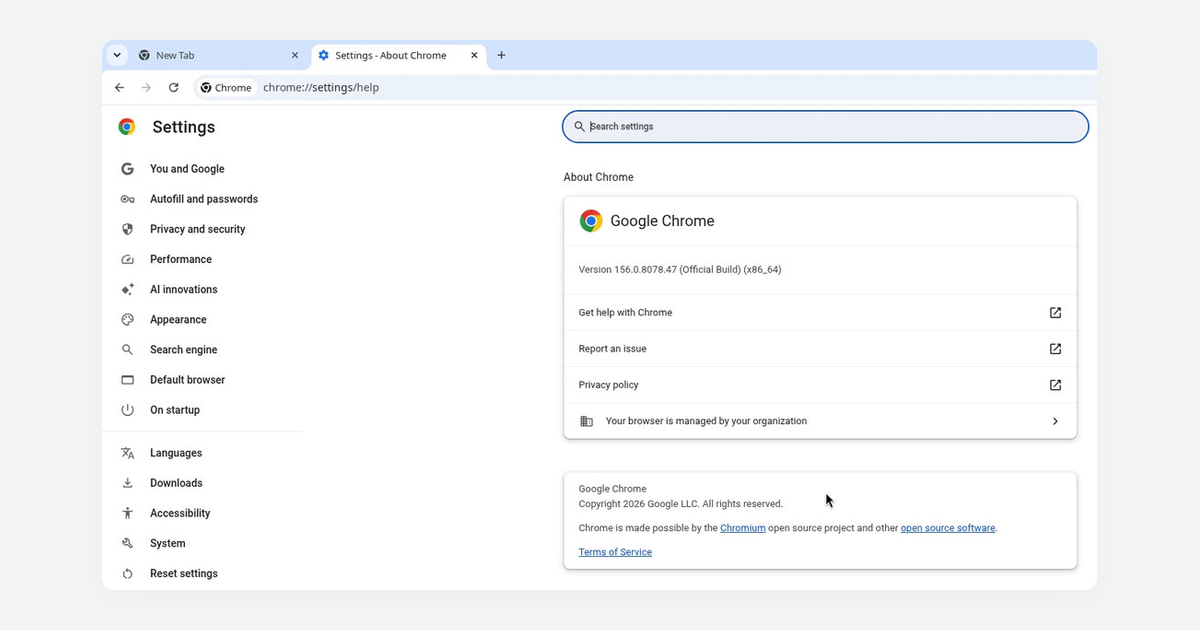
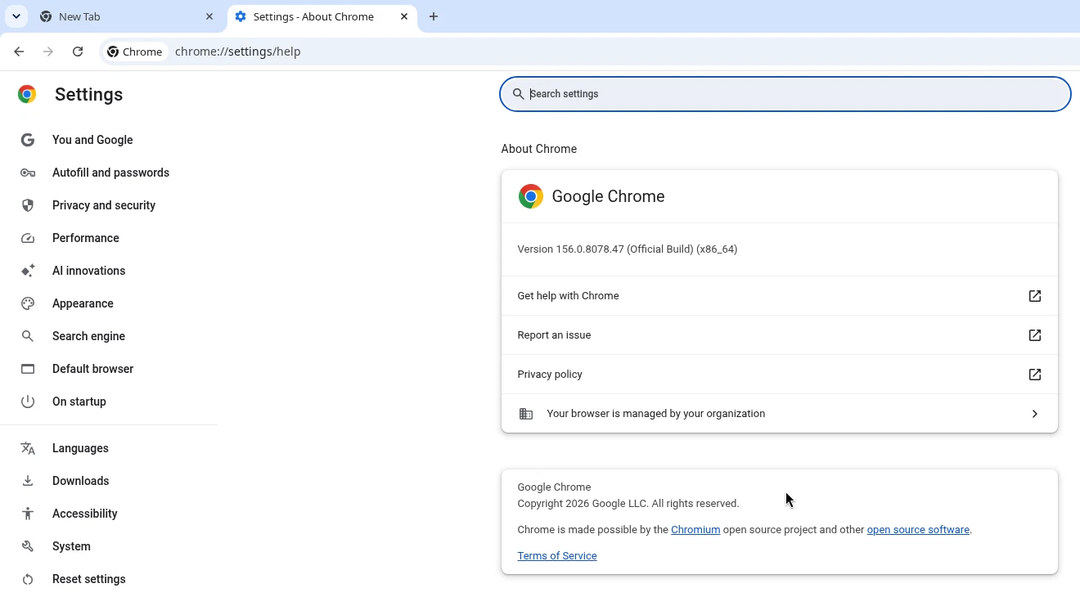
Tested on: a Debian 13 Linux desktop with Chrome 156.0.8078.47, Nov. 13, 2026. Chrome reported 156.0.8078.47 installed. The system's package manager showed 157.0.8103.78 ready to install from Google. That's one version behind. On Linux, Chrome's About page can't install the update for you, so it waits until you run a system update. If you use Linux, run your updates; don't wait for Chrome to remind you.
Chrome's About page on the same computer showed the same version:
How to update Chrome on Android
Chrome updates itself based on your Play Store settings. To check by hand:
- Open the Play Store app.
- Tap your profile picture at the top right.
- Tap Manage apps & device.
- Under Updates available, find Chrome.
- Tap Update next to it.
If Chrome isn't in the list, it's already up to date. Chrome needs Android 10 or newer.
How to update Chrome on iPhone and iPad
Chrome follows your App Store update settings. To check by hand:
- Open the App Store.
- Tap your profile picture at the top right.
- Scroll to Available Updates and look for Chrome.
- If it's there, tap Update. Enter your Apple Account password if it asks.
Chrome on iPhone and iPad needs iOS 18 or newer.
If Chrome won't update
Most stuck updates come down to one of these. Start at the top.
-
Restart the computer. An update can get half done. A full restart, then Help > About Google Chrome again, fixes a lot of them.
-
Check the error message. Google's help page lists these, word for word:
- "Update failed (Error: 3 or 11) An error occurred while checking for updates: Update server not available"
- "Update failed (Error: 4 or 10) An error occurred while checking for updates: Update check failed to start"
- "Update failed (Error: 7 or 12) An error occurred while checking for updates: Download failed"
Google's fixes for all of them are the steps on this list.
-
Check your antivirus, firewall or parental controls. Make sure they aren't blocking updates. Google says two addresses must not be blocked: tools.google.com and dl.google.com.
-
"Updates are disabled by administrator." A work or school computer is often managed by an IT team that controls updates. Ask them. Don't try to get around it.
-
Turn off Compatibility Mode on Windows. Right-click the Chrome icon, click Properties, open the Compatibility tab, and uncheck Run this program in compatibility mode for.
-
Reinstall Chrome. Uninstall it, then download it again from google.com/chrome. On Windows, Google suggests the standalone installer if the normal one keeps failing.
-
Look for software you didn't install. Unwanted programs can stop Chrome from updating. On a Mac, open Finder, click Applications, and remove anything you don't recognize.
"Chrome may not be able to keep itself updated"
This one is usually about your computer, not Chrome. Google stopped supporting these older systems:
| Device | Oldest version Chrome still supports |
|---|---|
| Windows (Intel) | Windows 10 |
| Mac | macOS 13 Ventura |
| Android | Android 10 |
| iPhone and iPad | iOS 18 |
Chrome doesn't work on Windows 7, 8 or 8.1, or on macOS 10.12 through 12. If your computer is stuck on one of those, Chrome can't get security fixes there anymore. The fix is to update the computer's system if it can take it, or move your browsing to a newer device. Our guide to Windows 10 end of support explains your options on an older PC.
Recent Chrome security updates
We list each Chrome release with security fixes here, newest first.
- Chrome 158 (Nov. 12, 2026): Early stable release to a small group on Windows and Android, with Mac to follow. iPhone and iPad got 158.0.8127.35 the same day. Google's Android and iPhone release notes say those builds include "stability and performance improvements." The desktop note doesn't list security fixes yet.
- Chrome 157 (Nov. 3, 2026): 213 security fixes, seven rated Critical. Desktop 157.0.8103.38/.39, Android 157.0.8103.38. Google didn't say any of them were being used in attacks.
- Chrome 156 (Oct. 27, 2026): 52 security fixes, four rated Critical. Desktop 156.0.8078.73/.74, Android 156.0.8078.73. Google didn't say any were being used in attacks.
FAQs
Do I have to update Chrome if it updates itself? It downloads by itself, but on a computer it only finishes when Chrome restarts. Opening Help > About Google Chrome is the quick way to make sure.
Will updating Chrome delete my tabs or bookmarks? No. Relaunch reopens your tabs and windows. Incognito windows don't come back.
Why does my friend have a newer version than me? Google sends new versions to a few people first, then everyone else over days or weeks. Check again in a day or two.
Does updating Chrome on my phone update it on my computer? No. Each device updates on its own. Do the steps on each one.
Is a pop-up telling me to "update Chrome" safe? Be careful. Real Chrome updates happen inside Chrome or in your phone's app store. A website pop-up that asks you to download a "Chrome update" file is a common trick. Close it and use the steps above instead. If you're not sure about a message, try our free Is This a Scam? checker.
Want the next fix in plain English? Follow Tech Cheat Codes on Facebook. Tap this link, then tap Follow: Follow Tech Cheat Codes on Facebook
Helpful gear
iThis page has affiliate links. If you buy through one, we may earn a small commission at no extra cost to you. Learn more.
Optional, only if your computer can't run a current Chrome.
- Apple MacBook Neo 13-inch (2026) (opens in a new tab): If it's time for a new computer, this is one option: it's a new Mac, so it comes with a current version of macOS, well above Chrome's macOS 13 minimum.
References
- Google Chrome Help: Update Google Chrome (computer)
- Google Chrome Help: Update Google Chrome (Android)
- Google Chrome Help: Update Google Chrome (iPhone and iPad)
- Google Chrome Help: Fix Chrome update problems and failed updates
- Chrome Releases blog (Google)
- Chrome Releases: November 2026
- Chrome Releases: October 2026
- Google Chrome VersionHistory API: Windows stable
- SecurityWeek: Chrome 157 Rolls Out With 213 Security Fixes, Seven Rated Critical
Get the next cheat code
Plain-English tech fixes and scam alerts. Tap Follow on Facebook or TikTok, or pick another below.