
On this page · 3 sections
A text message eight bytes long can crash the calling software on an unpatched Android phone, drop a call in progress and do it again each time the phone restarts. The message does not appear in the Messages app and shows no sender. That is the whole attack, and it needs nothing from the person receiving it: no tap, no link, no download.
Working exploit code for the flaw, tracked as CVE-2026-58882, went public on Thursday, Oct. 29. Researcher Mark Blaszczyk reported it to Google on May 5 and released a write-up and a working demo almost six months later, after the fix had already started reaching phones. We found no reports of attacks on real phones as of Saturday evening, Oct. 31.
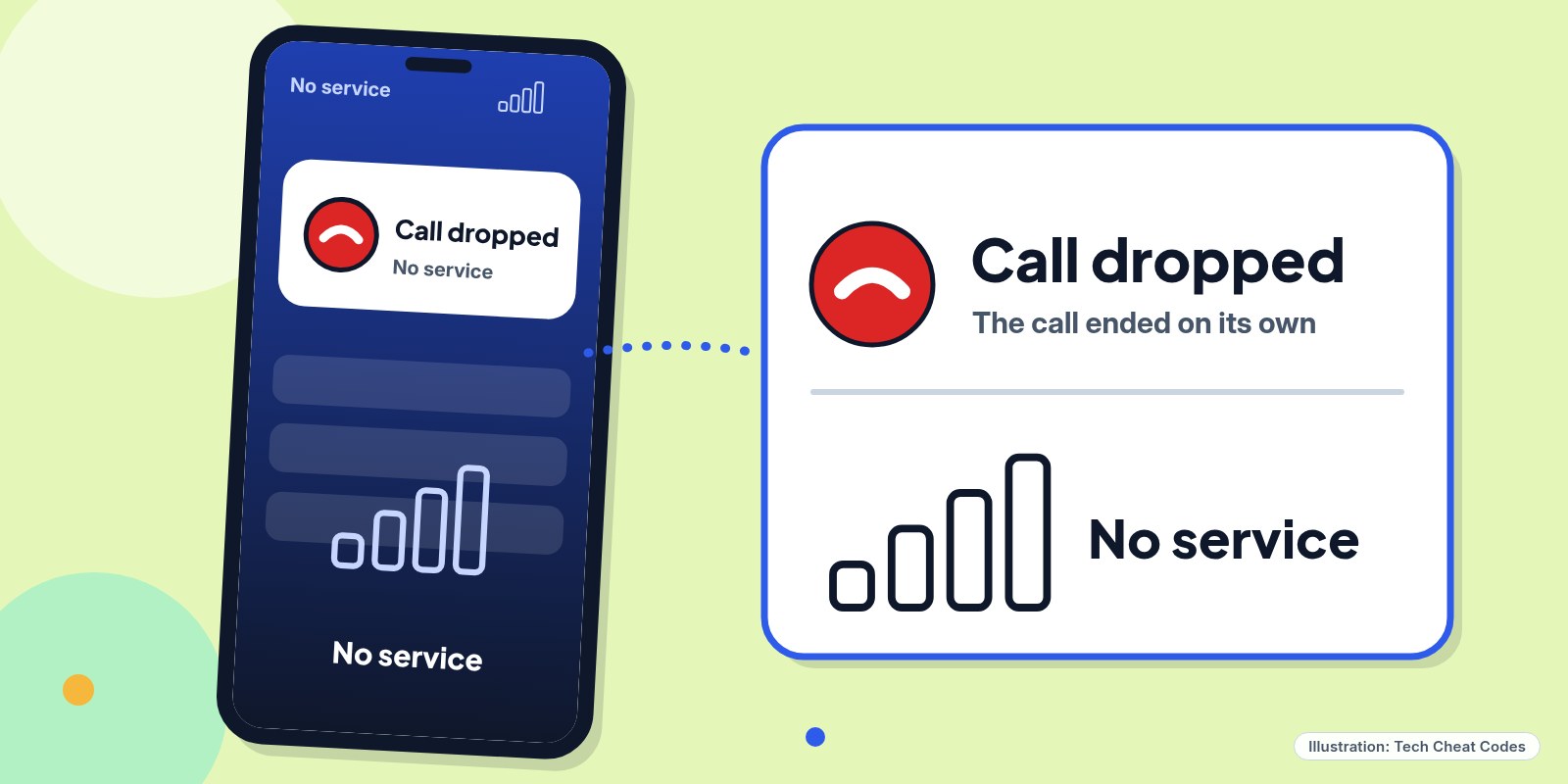
Illustration: Tech Cheat Codes
The bug sits in the code that handles WAP Push messages, an old carrier system that delivers data messages to a phone before they ever reach your inbox. Android reads a header length from the message and converts it to a number without checking that the number makes sense. The 8-byte payload in the demo (01 06 88 80 80 80 00 BE, sent to port 2948) produces a value of -2,147,483,648. The software throws an error and the com.android.phone process, which handles calls and mobile service, crashes.
In testing, each message cost one to two seconds of no service, and the phone lost signal and dropped any call. Carriers redeliver messages they think haven't arrived, so a message can crash the phone again after it comes back. About 20 messages left a phone unusable for an extended period. One Android 12 test phone rebooted into recovery about every 90 seconds and needed a factory reset. In another test, a single message caused intermittent outages for up to a week.
The flaw crashes the phone's calling and signal service. The write-up describes no stolen data and no code running on the phone. An attacker does need your phone number. The demo is an Android app that sends the messages from a second Android phone, which makes the attack easier for anyone willing to misuse it. Emergency calls can drop while the phone is crashing, which is the part that makes the flaw worth taking seriously.
Which phones are affected
The crash reproduced on Android 12 through 16, on a Pixel 9 running April 2026 firmware and on several Samsung Galaxy models. The vulnerable code goes back to Android 12. The researcher's write-up lists the fix in the October 2026 security update for Android 14 through 17 and calls phones on that patch level or later protected. No fix is listed for Android 12 and 13, so phones on those versions stay exposed.
The patch timing doesn't line up cleanly. Google's October bulletin, published Oct. 5 and updated Oct. 8, covers patch levels 2026-10-01 and 2026-10-05 and doesn't list CVE-2026-58882. Android Authority reported the flaw is rated Critical and appears slated for the November bulletin, and that the fix was committed on June 15 and reached partners in July security previews. Those accounts can both be true if the fix shipped before the CVE was published. Google hasn't explained the gap publicly. Android Authority asked Google about it on Oct. 30.
What to do now
Check your patch level. On a Pixel and most other phones, open Settings, About phone, Android version, then Android security update. On a Samsung Galaxy, go to Settings, About phone, Software information, then Android security patch level. A patch date of Oct. 1, 2026 or later is the level the researcher lists as protected, and an older date means the phone needs the update. On Android 12 or 13, a newer date doesn't mean the fix is in.
To update, connect to Wi-Fi, plug in the charger, and go to Settings, System, Software updates (Samsung: Settings, Software update). Restart if asked. Schedules vary by manufacturer and carrier, so a phone may get the update days or weeks after Google ships it. Android bulletins publish on the first Monday of the month, which makes November's due Monday, Nov. 2. Check your patch level again once it arrives.
If your phone is on Android 12 or 13 and no update appears, ask the manufacturer or your carrier whether one is coming. We found no setting that blocks the message, and since the sender does not show up, there is nothing to block. Until you update or replace the phone, keep another way to reach emergency services, such as a second phone or a landline.
If your phone starts dropping signal for a second or two for no reason, or restarts in a loop, don't choose "wipe data" at the recovery prompt. Carriers can redeliver the message, so a wipe may not end the crashing. The write-up links to a recovery method that uses a computer and Android's ADB tool to remove the messages without wiping the phone, and the manufacturer or carrier can help with it. There is no reason to download the demo app.
References
- Source: Mark Blaszczyk, SMS of Death write-up
- Source: Android Security Bulletin, October 2026
- Source: Android Open Source Project, Android Security Bulletin overview
- Source: BleepingComputer, New Android SMS of Death exploit can remotely crash unpatched phones
- Source: Android Authority, Android SMS of Death and Google's fix
- Source: Android Help, Check and update your Android version
Never miss a cheat code
Get plain-English tech fixes and scam alerts: follow on TikTok, YouTube or Instagram.
Related fixes
Phone Storage Full? How to Free Up Space on iPhone and Android
Phone storage full? See what's eating your space, then free it up on iPhone, Pixel or Samsung Galaxy with built-in tools. No cleaner app needed.
Phones & Storage · 11 min read
Phone Battery Draining Fast? Free Fixes for iPhone and Android
Phone battery dying by lunch? Find what's draining it and fix it free on iPhone, Pixel or Samsung Galaxy before you pay for a new battery or phone.
Phones & Storage · 5 min read
New Phone or Computer? How to Move Your Photos, Messages and Files Over for Free
Moving to a new iPhone, Android, Windows PC or Mac? Use the free, built-in transfer tools to bring your photos, messages and files along, step by step.
New Device Setup · 8 min read