
On this page · 3 sections
What happened: Starting Oct. 29, Meta began sending supervising parents an alert when their teen repeatedly searches for suicide or self-harm terms on Facebook, or when the teen's conversation with Meta AI on Facebook or Messenger suggests they may be at risk. The same alerts already existed on Instagram. This update makes them global across all three apps.
What this means for you: These alerts only reach parents who have supervision set up through Meta's Family Center. If your teen is 13 to 17 and uses Facebook, Instagram or Messenger, and you haven't linked accounts, you won't get one. Setting it up takes an invite from you and a yes from your teen.
If you or someone you know is struggling, call or text 988, any time, day or night.
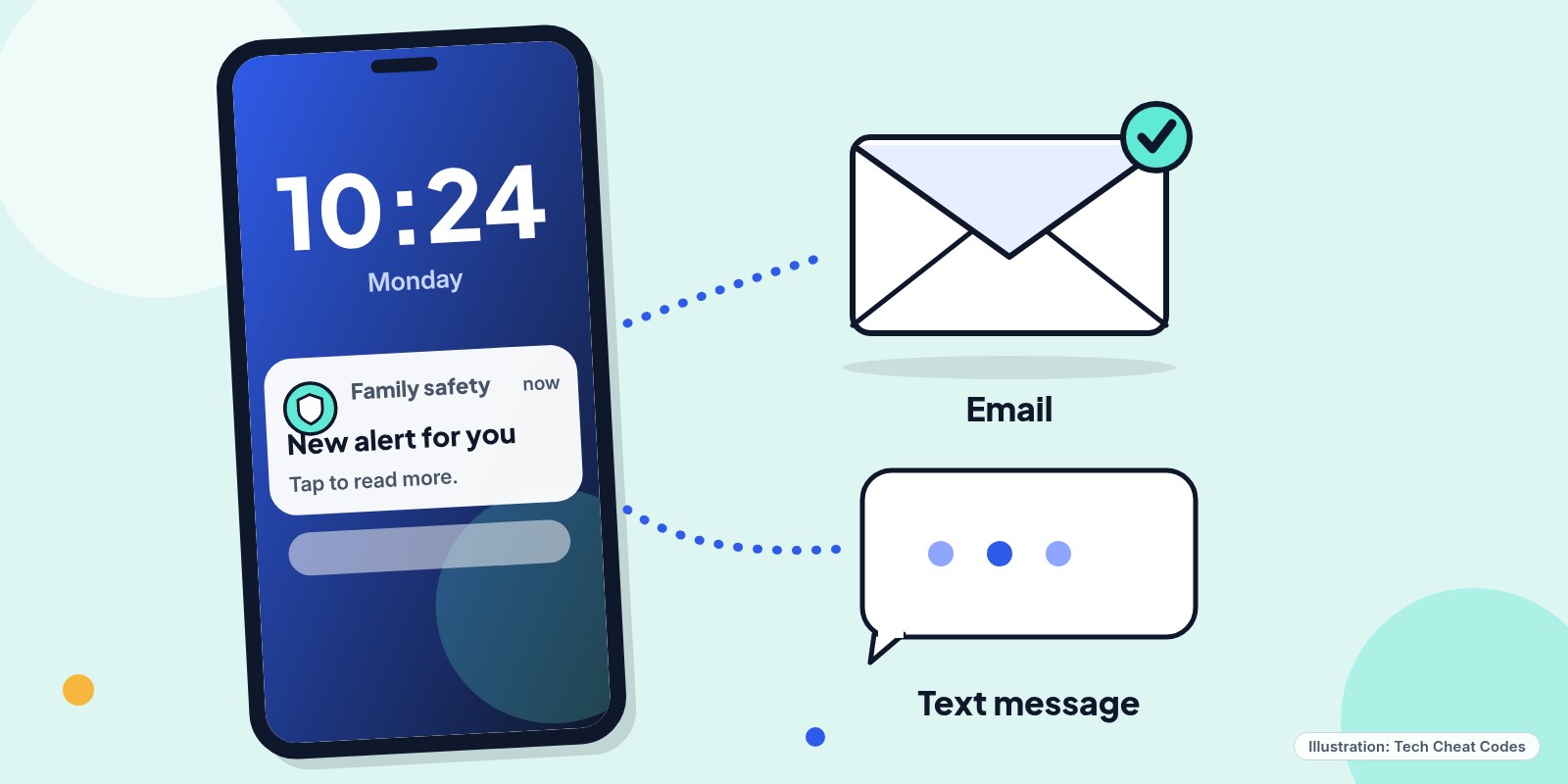 On Instagram, these alerts come by email, text or WhatsApp, plus a notification in the app. Illustration: Tech Cheat Codes
Picture the message landing on a parent's phone in the middle of a workday. It won't say what their 15-year-old typed. It won't show the chat. It tells you only that the teen has repeatedly tried to search for terms tied to suicide or self-harm in a short stretch of time, or that a Meta AI conversation raised concern, and it points you to resources for what to say next.
That restraint is deliberate. The alert tells you there's a reason to talk, without handing over your teen's private words.
The details
Meta has been building these alerts piece by piece since February. Facebook and the chatbot were the missing parts.
| Date | What changed |
|---|---|
| Feb. 26, 2026 | Instagram announced search alerts for supervising parents, starting in the US, UK, Australia and Canada |
| May 14, 2026 | Search alerts announced for the EU, Brazil and India |
| July 16, 2026 | Alerts for teens' Meta AI chats on Instagram, live in the US, UK, Australia and Canada |
| Aug. 13, 2026 | Instagram search alerts available to supervising parents globally |
| Oct. 29, 2026 | Search alerts added for Facebook, and Meta AI chat alerts added for Facebook and Messenger, for supervising parents globally |
Two different things can set off an alert now.
The first is search. If a supervised teen repeatedly searches for suicide or self-harm terms on Facebook or Instagram within a short period of time, the parent hears about it. That covers phrases that promote suicide or self-harm, phrases that suggest a teen wants to hurt themselves, and plain terms like "suicide" or "self-harm." Meta blocks searches for terms clearly tied to suicide and self-harm and shows resources and helplines instead of results. So the alert is about a pattern of trying, not about anything the teen actually saw.
Meta hasn't published the exact threshold. It's set to a few searches within a short period, and it leans toward caution, so some alerts will go out when nothing is really wrong.
The second is Meta AI, the chatbot built into Facebook, Instagram and Messenger. When a teen's conversation suggests they may be at risk of suicide or self-harm, a dedicated AI system flags it. Then a person reviews every flagged chat before any alert goes out. If the teen's intent is unclear, the alert gets sent anyway. Inside the chat itself, Meta AI already points teens to crisis helplines and encourages them to reach out to a parent or another trusted adult.
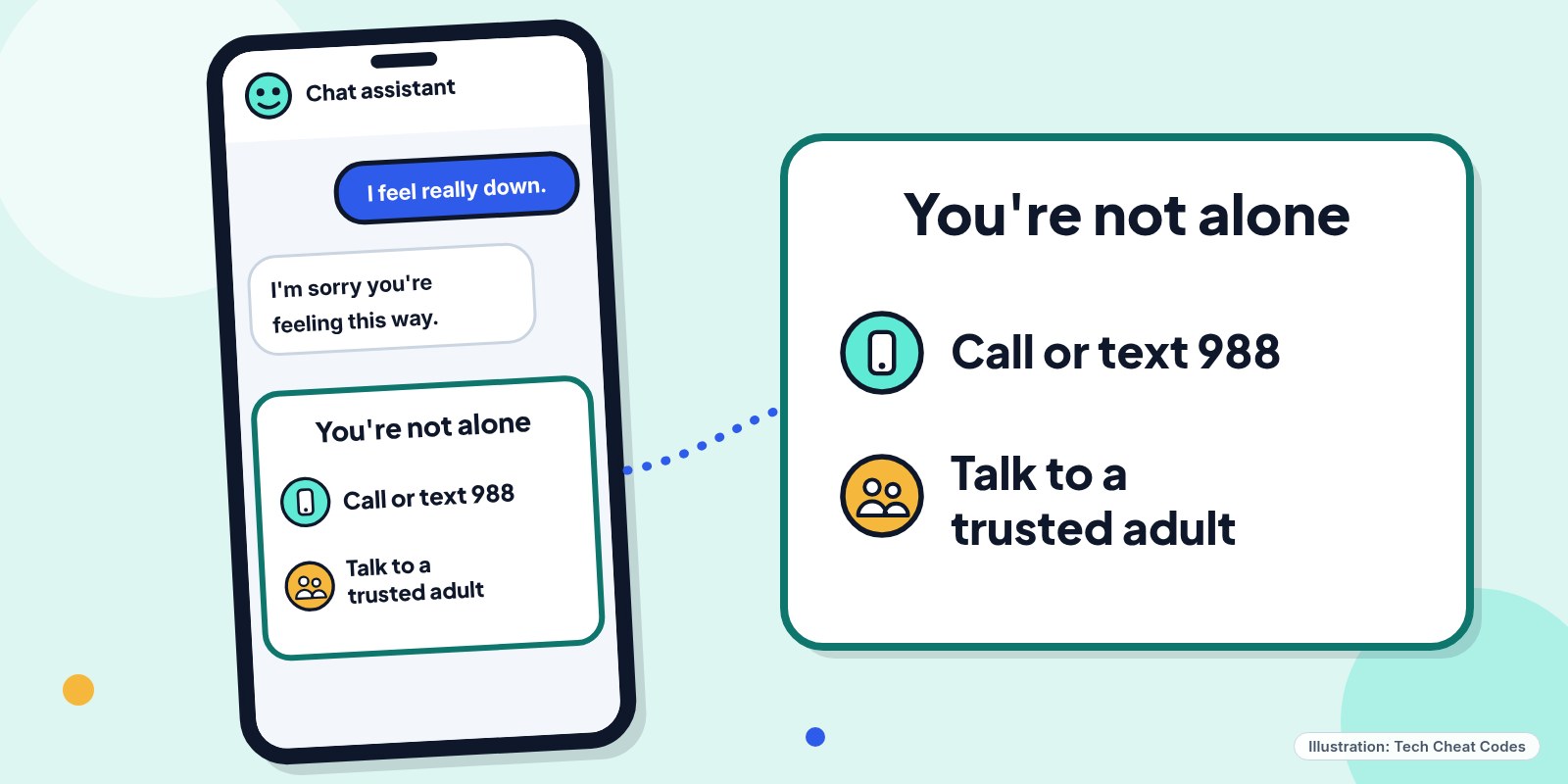 Meta AI points teens to helplines in the chat. A supervising parent can now get an alert too. Illustration: Tech Cheat Codes
On Instagram, these alerts reach parents by email, text or WhatsApp, depending on what contact information is on file, along with a notification in the app. Tapping it opens a full-screen message explaining what happened, with expert resources for starting a hard conversation.
Did you know? A notification about a Meta AI chat doesn't show the conversation and doesn't give the parent access to it. Teens bring up these topics for all kinds of reasons, including school research, worry about a friend, repeating a line from a game or show, or trying to get a shocked reaction from the bot. An alert doesn't automatically mean a crisis.
Who gets these alerts
Only parents and guardians who supervise a teen's account through Family Center. Supervision works for teens 13 to 17, and the parent has to be over 18. Only one parent or guardian can supervise a teen's Meta account, so two parents in the same house can't both be linked to the same teen.
Supervision is voluntary on both sides. A parent can send an invite, or a teen can send a request, but it doesn't start until the other person accepts. If either of you blocks the other, supervision is removed and the other person is notified.
There's a related setting worth knowing about. Teen Accounts start in a 13+ content setting that also applies to Meta AI chats. Parents who want something stricter can turn on Limited Content on Instagram, and that now limits what Meta AI will discuss with the teen, too.
What to do now
If you want these alerts, set up supervision from a phone or computer.
- Go to familycenter.meta.com/supervision.
- Tap Get started.
- Select the teen profile you want to supervise. If you can't find it, share a link instead.
- Tap Send invite, then ask your teen to accept it.
Invites expire 7 days after you create them. If your teen doesn't accept in time, send a new one. Once you're linked, go back to Family Center, select your teen's account and review your notification preferences so you know where alerts will show up.
Tell your teen why you're doing it before the invite arrives. Supervision works best built on trust and open conversation, and a teen who feels ambushed by an invite is less likely to accept it.
If an alert comes in
Outside experts recommend a clear order. Check on your teen's safety first, and stay as calm as you can. If you believe your teen is in immediate danger, call 911 or your local emergency services.
Then find a private, quiet time to talk. Be honest about why you're asking. Try opening with "I got a notification that your conversation with Meta AI may have touched on suicide or self-harm," then reassure them right away: "You haven't done anything wrong. I care about you. Can we talk about this?" Ask open questions, and listen before you jump to fixes.
It's OK to ask directly whether they've had thoughts of suicide or have been hurting themselves. Asking doesn't plant the idea, and it tends to lower anxiety rather than raise it. If your teen needs more support, a doctor, a local mental health professional or a school counselor is a good next call.
The 988 Suicide & Crisis Lifeline is free and open 24/7, for teens and for worried parents. Call or text 988, or chat online.
Meta is also building a way for Meta AI to contact emergency services when a conversation, from an adult or a teen, suggests someone is at imminent risk. On its main apps, Meta made more than 19,000 referrals to emergency services last year from posts that suggested a credible risk of suicide.
References
- New Alerts to Let Parents Know if Their Teen May Need Support (Meta Newsroom, updated Oct. 29, 2026)
- Alerting Parents if Teens Show Signs of Distress in Conversations With Meta AI (Meta Newsroom, updated Oct. 29, 2026)
- Notifications about teen conversations with Meta AI related to suicide or self-harm (Meta Help Center)
- Set up supervision (Meta Help Center)
- 988 Suicide & Crisis Lifeline (SAMHSA)
Get the next cheat code
Plain-English tech fixes and scam alerts. Tap Follow on Facebook or TikTok, or pick another below.
Related fixes
How to Turn On Two-Step Verification for Google, Apple, Microsoft, Facebook, Instagram and Amazon
Add a second sign-in step to Google, Apple, Microsoft, Facebook, Instagram and Amazon: pick an app, text code or passkey, then save your backup codes.
Accounts & Security · 11 min read
Is This a Scam? 4 Warning Signs and What to Do Next, for Parents, Kids and Grandparents
Is this a scam? Learn the FTC's 4 warning signs, spot the tricks aimed at kids, teens and grandparents, and know exactly who to call if you already paid.
Scams · 6 min read
Phone Battery Draining Fast? Free Fixes for iPhone and Android
Phone battery dying by lunch? Find what's draining it and fix it free on iPhone, Pixel or Samsung Galaxy before you pay for a new battery or phone.
Phones & Storage · 5 min read