
On this page · 7 sections
Quick answer
Plan on 212 GB free. PlayStation's support page asks for 212 GB available on a PS5, and Rockstar's wording is up to 212 GB depending on the device. Check free space first (PS5: Settings > Storage), then delete games you're done with or move them to extra storage. Leave room beyond 212 GB, because games get patched after launch. A USB drive can park other games on both consoles, but it can't be where GTA 6 runs.
PS5: Settings > Storage to check; Settings > Storage > Console Storage > Games and Apps > Delete (Customize trims parts of a game); Game Library > Options > Move Games and Apps for M.2 SSD (playable) or USB extended storage (PS5 games must be copied back to play). PS5 saved data can go to PlayStation Plus cloud storage or a USB backup (Settings > System > System Software > Back Up and Restore). Xbox: games labeled Optimized for Xbox Series X|S play from internal SSD or the Storage Expansion Card; USB drives store them but can't run them; saved data syncs online. 212 GB is the number both gave (Rockstar: up to 212 GB; PlayStation: a minimum of 212 GB on PS5); no separate Xbox figure found, and no patch size published.
Before the download bar ever shows up, a quieter screen decides how Nov. 19 goes: the one that shows how much room your console has left. If it reads 90 GB free, the preload very likely won't finish, however fast your internet is.
These steps are for a console you own. Saved games live in different places on each console, so step 3 covers backing them up before you delete anything. The menu paths follow PlayStation and Xbox support pages as of Nov. 5, 2026. For the preload dates and the settings that start the download, use our preload guide. This page is only about space.
Easy Mode: make room for 212 GB
Two official numbers are in play, and they don't quite match. PlayStation's GTAVI support page asks you to have 212 GB of storage available, and PlayStation.Blog tells PS5 owners to clear a minimum of 212 GB. Rockstar's wording is that the preload file needs up to 212 GB depending on your device. We haven't found a separate Xbox figure from Rockstar or Microsoft, so use 212 GB on both consoles. If an Xbox ends up needing less, you'll have extra room.
On a PS5 Digital Edition with an 825 GB drive, 212 GB is about a quarter of the drive, and more once the system takes its share. On a 1 TB disc-drive PS5 it is about a fifth. Xbox Support says some of every Xbox's internal drive is reserved for saved games, console software and other system functions, so you never see the full amount free.
1. See how much room you have
On a PS5, go to the home screen and choose Settings > Storage. On an Xbox, press the Xbox button, then go to Profile & system > Settings > System > Storage devices. Write the free number down.
If it's already above 212 GB, skip to step 2. If not, the gap between your number and 212 GB is how much you need to clear.
2. Aim past 212 GB
Games get patched, and a patch can need extra room. Rockstar hasn't published a patch size for GTA 6 that we could find, so we won't guess one. A cushion of a few extra games' worth of space is the safer target than hitting 212 GB exactly.
3. Delete what you're finished with
On a PS5, go to Settings > Storage > Console Storage > Games and Apps, choose the data you want gone and select Delete. You keep access to purchases and can download them again from your game library. If a game has Customize next to its title, you can delete only pieces, such as add-ons you don't use or a campaign you've finished, and still play the rest.
On an Xbox, open My games & apps > See all, highlight a game, press the Menu button and choose Uninstall. Saved data for your games and apps syncs online when you sign in, so a reinstalled game gets it back.
Before deleting anything you care about, back up saves. On a PS5, PlayStation Plus members can upload saved data from Settings > Saved Data and Game/App Settings (pick Saved Data (PS5) or Saved Data (PS4), then Upload or Delete from Console Storage). Without PlayStation Plus, you can back up saved data to a FAT32 or exFAT USB drive: Settings > System > System Software > Back Up and Restore > Back Up Your PS5, pick Saved Data, then Back Up. PlayStation says a drive set up as USB extended storage can't hold backups.
4. Move games instead of deleting them
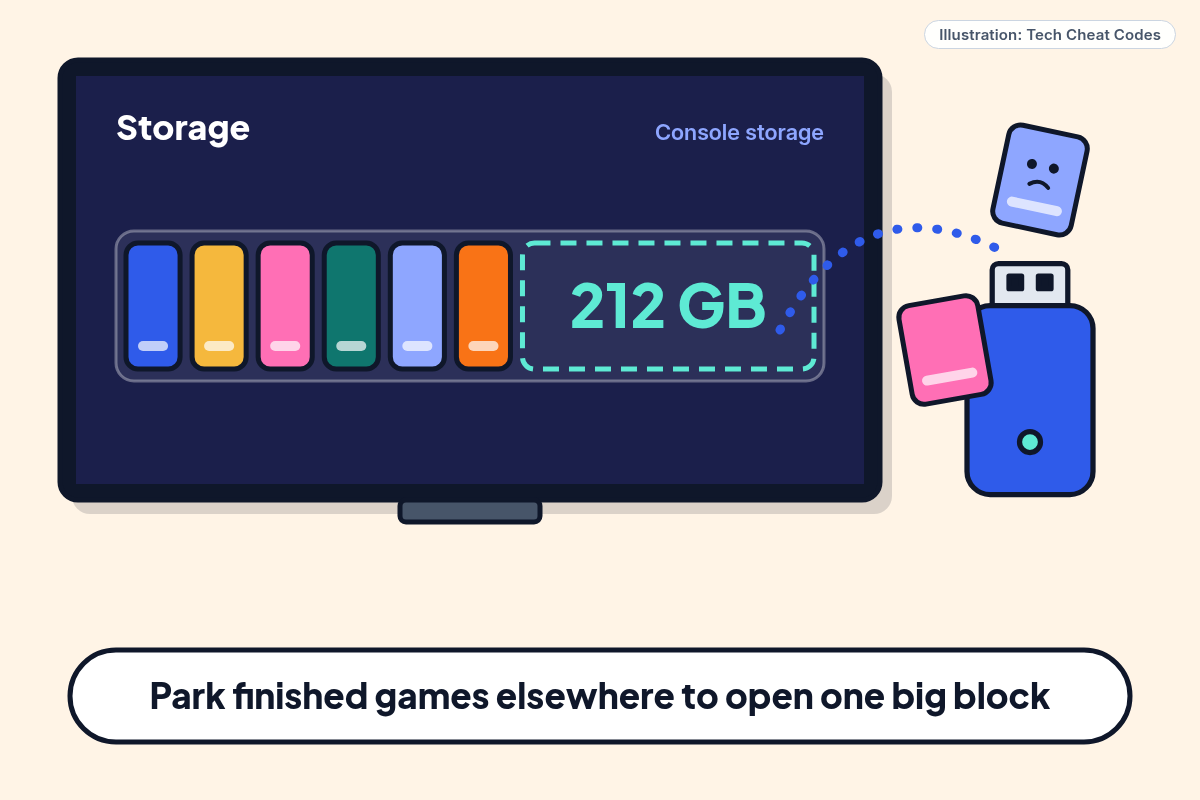
Moving keeps the game on a shelf you can pull from later, and it doesn't cost you a long re-download.
On a PS5 with a USB drive set up as extended storage, go to Game Library, highlight a game, press the options button and choose Move Games and Apps. PS5 games can sit on that drive but can't be played from it, so copy one back to console storage when you want to play. That means a USB drive helps you park other games to make room, and it can't be where GTA 6 runs. An M.2 SSD installed in the PS5 is different: PS5 games can be played from it, and you can set it as the place new downloads go under Settings > Storage > Installation Location. PlayStation.Blog's preload post points to extending PS5 storage ahead of GTA VI, and the GTAVI support page lists no different rule for the game.
On an Xbox Series X|S, Microsoft's rule for games labeled Optimized for Xbox Series X|S is that they play from the internal SSD or the Storage Expansion Card, which is sold separately. A USB drive can hold them but can't run them. GTA VI carries that label in the Xbox Store, so plan for internal storage or an expansion card, and use a USB drive for older games and parked ones.
5. Be honest about your internet
Clearing space early matters even if your connection is fast. At a steady 100 Mbps, 212 GB takes a little under five hours of nonstop downloading. At 25 Mbps it takes close to 19. Real speeds dip, and the console is probably also streaming a show. If your plan has a monthly data cap, check whether 212 GB would blow through it before the download starts. That's plain arithmetic, not a speed test of your line.
That's the reason the early window exists. Preload opens Nov. 10 on PS5 and the afternoon or evening of Nov. 9 for Xbox in US time zones, which leaves a lot of slack if you clear space now.
When the Storage screen shows a clear block of at least 212 GB, you're done here. Go back to the preload guide and switch on auto-download.
Still stuck? Find your situation
| What you see | Likely cause | What to do |
|---|---|---|
| Free space is under 212 GB | You need to clear the difference | Delete or move games (steps 3 and 4) |
| Free space is 212 GB, but the download stops | Patches or other downloads ate the margin | Clear more room (step 2) |
| PS5 game on a USB drive won't launch | PS5 games can't run from USB extended storage | Copy it back to console storage (step 4) |
| Xbox game on a USB drive won't launch | Games labeled Optimized for Xbox Series X | S can't run from USB |
| Don't want to lose a save | Saves live in different places on each console | Back up first (step 3) |
Pro Mode
Pro Mode Pro Mode: PS5 storage tiers, USB extended storage rules and why the two sizes differ
PlayStation's support page for GTAVI gives a flat 212 GB, and PlayStation.Blog's Nov. 3 post puts the minimum at 212 GB. Rockstar's Nov. 3 Newswire post and Pre-Load FAQ say up to 212 GB. We treat 212 GB as the ceiling and the planning number. We haven't confirmed a separate Series S or Series X figure from an official page.
PS5 storage tiers per PlayStation support: built-in console storage, M.2 SSD (PS5 games playable), USB extended storage (PS5 games stored but must be copied back to play) and cloud (saved data only, PlayStation Plus). A plain FAT or exFAT USB stick can hold screenshots, clips, PS4 saved data and PS5 backups, but not PS5 games.
USB extended storage on a PS5 needs a SuperSpeed USB drive of at least 250 GB (8 TB maximum), connected directly rather than through a hub. Only one extended-storage drive is used at a time, and formatting erases the drive. Format it under Settings > Storage > USB Extended Storage > Format as USB Extended Storage.
M.2 SSD: check space and move or delete on it under Settings > Storage > M.2 SSD Storage. PlayStation's page also suggests moving a game back to internal storage if you hit problems playing it from the M.2.
Xbox: the Storage Expansion Card matches the internal drive's performance and plays Series X|S games directly. A USB 3.1 external drive can store games but only plays games from earlier Xbox generations.
References
All 10 reference links
- Source: Grand Theft Auto VI support (US) - PlayStation Support
- Source: Grand Theft Auto VI pre-download begins November 10 - PlayStation.Blog, Nov. 3, 2026
- Source: Grand Theft Auto VI Pre-Load Begins on November 10 - Rockstar Games Newswire, Nov. 3, 2026
- Source: Grand Theft Auto VI Pre-Load FAQ - Rockstar Support
- Source: How to manage storage space on your PS5 console - PlayStation Support
- Source: USB extended storage on PlayStation 5 consoles - PlayStation Support
- Source: How to add an M.2 SSD to a PS5 console - PlayStation Support
- Source: Manage storage on your Xbox console - Xbox Support
- Source: PlayStation 5 consoles - PlayStation
- Source: Back up data from your PS5 console to a USB drive - PlayStation Support
Get the next cheat code
Plain-English tech fixes and scam alerts. Tap Follow on Facebook or TikTok, or pick another below.
Want AI to answer your clients?
Our ready-made AI setups come with a step-by-step guide in Easy Mode and Pro Mode. You set them up yourself.
See the AI setupsRelated fixes
How to Preload GTA 6 on PS5 and Xbox (Before Launch Night)
Preload times for PS5 and Xbox, the Rest Mode and Sleep settings to switch on, and how to fix a stuck GTA 6 download before launch on Nov. 19.
Computers · 8 min read
GTA 6 Standard vs Ultimate: What You Actually Get
Standard is $79.99, Ultimate $99.99. What Rockstar lists in each, why Ultimate has no box, how upgrading works and who gets the Vintage Vice City Pack.
Computers · 6 min read
GTA 6 Preload Starts Nov. 10: Clear Up to 212 GB Before It Hits