On this page · 9 sections
Quick answer
Use the on-screen Home controls on HomeView. This works when HomeView recognizes you. Open the Home app and tap your lock or garage, or tap it on a Home Modular face. Apple told reporters a December update will add this to Siri.
Siri on HomeView will not unlock doors or open garage doors at launch. Apple told reporters a December software update will add it. Until an update that adds it is installed, use the Home app or a Home Modular face on HomeView. Apple says on-screen unlock works for users recognized by HomeView. Steps follow Apple's HomeView help pages.
If Siri on your new HomeView won't unlock a door or open a garage door, use the on-screen Home controls instead. Open the Home app on HomeView, or use a Home Modular face, and tap the lock or garage. This works when HomeView recognizes you. Apple told tech journalist Joanna Stern, as reported by MacRumors, that a December update will add this to Siri.
This guide is for the Apple HomeView that started arriving on Nov 13, 2026.
These steps follow Apple's HomeView user guide: Control your smart home on Apple HomeView and Find information and get things done with Siri on Apple HomeView.
Unlock a door or open a garage door on HomeView
Takes about a minute. Free.
1. Use the Home app on HomeView
- Make sure HomeView recognizes you, then go to the Home app on HomeView. Apple says on-screen unlock works for users recognized by HomeView.
- Tap your lock or garage door.
- Use the on-screen controls to unlock the door or open the garage.
Apple's help page says you can control locks from the Home app on HomeView. It shows how to tap an accessory, then use the controls to make a change. It does not name the exact unlock or open button, so use the control you see for that lock or garage.
2. Or use a Home Modular face
A Home Modular face is a HomeView screen that shows your favorite accessories. Apple's help page says you can see and control those favorites right on the face. If your lock or garage is there, tap it.
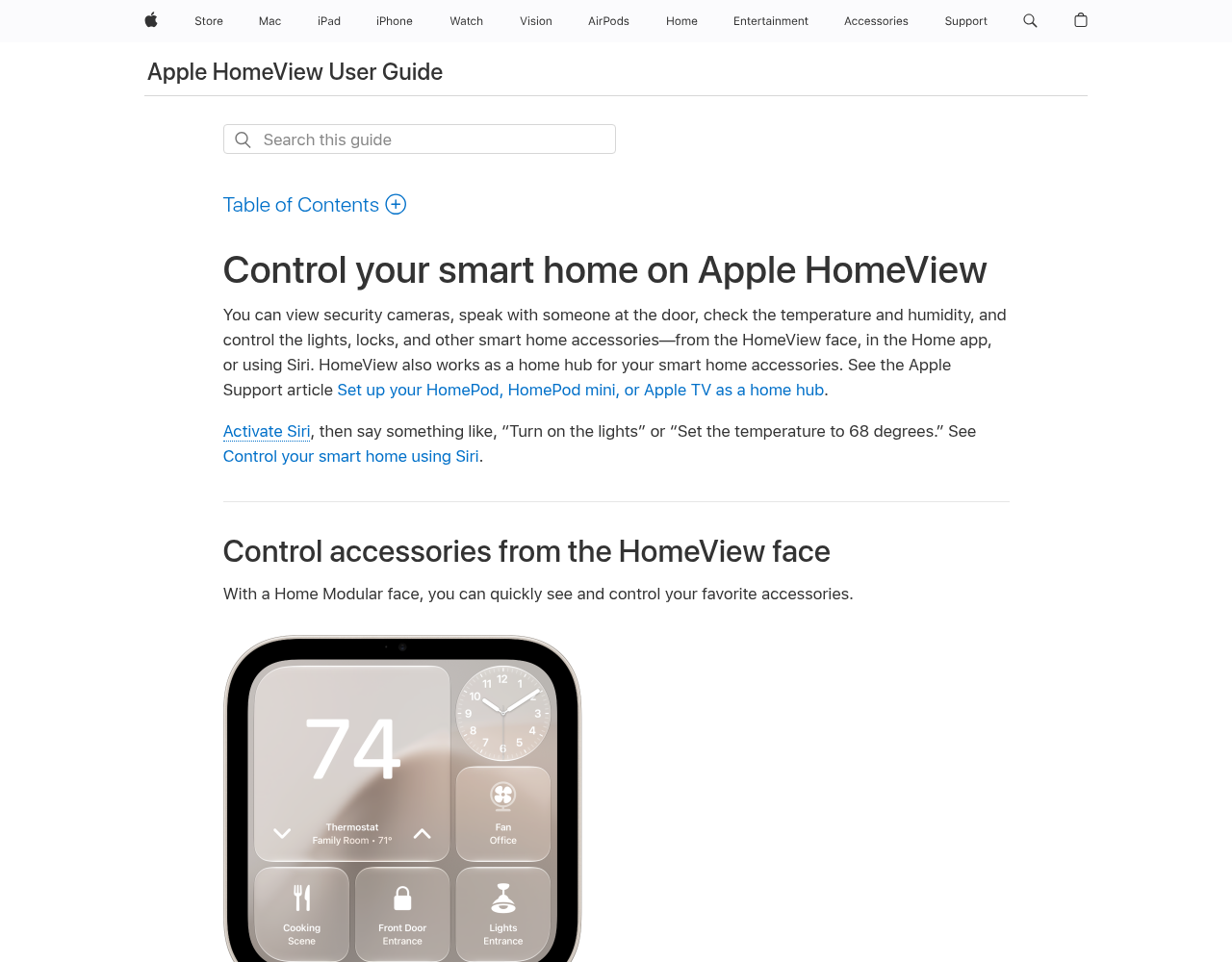
If you don't see the lock or garage on the face, use the Home app instead.
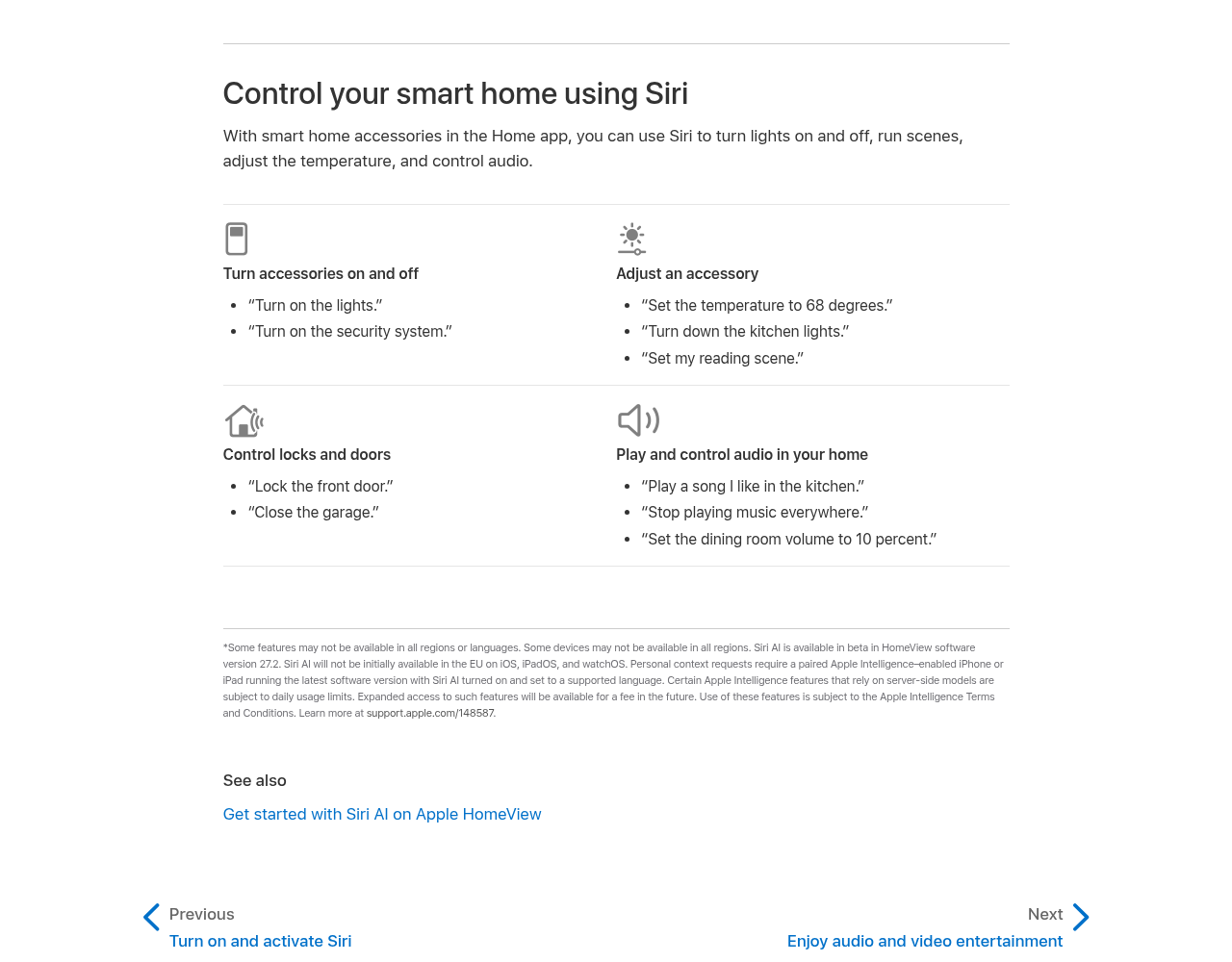
Apple's Siri help page still lists sample phrases like "Lock the front door" and "Close the garage." At launch, Siri on HomeView will not unlock doors or open garage doors, so don't keep asking Siri to do those two things. Use the on-screen controls instead.
If that didn't work
- Try the other on-screen path. If the Home app didn't work, try the Home Modular face. If the face didn't work, open the Home app.
- Check that the lock or garage shows up on HomeView. It should already appear in the Home app. If you don't see it, the on-screen controls can't reach it.
- Make sure HomeView recognizes you. Apple says on-screen unlock works for users recognized by HomeView. If it doesn't know who you are, the unlock control may not work for you.
- Check for a software update. Apple told reporters a December update will add this to Siri. See Apple's Update HomeView software page to look for an update. Don't count on a date until the update shows up on your HomeView.
- This is not the same as the 27.2 security update. For that update, see What to do about the HomeView 27.2 security update.
- Still no luck? Contact Apple Support. Tell them you're on HomeView and that Siri won't unlock a door or open a garage door.
The bottom line
Use the on-screen Home controls on HomeView to unlock a door or open a garage. Apple told reporters a December update will add this to Siri.
Helpful gear
iThis page has affiliate links. If you buy through one, we may earn a small commission at no extra cost to you. Learn more.
- Schlage Encode Plus Smart WiFi Deadbolt (Matte Black) (opens in a new tab): Optional, if you want a lock the listing says works with Apple Home and Apple home keys. The listing also says it has built-in Wi-Fi and a keyless touchscreen. You don't need a new lock to use the on-screen Home controls for a lock you already have. The Verge's Dan Seifert, who tested the lock, called tapping an iPhone to it "by far the simplest way" he had interacted with a smart lock, apart from automations. He wrote that installing it takes a Phillips screwdriver and about 15 minutes.
FAQ
Why won't Siri unlock my door or open my garage on HomeView?
At launch, Siri on HomeView won't do those two things. Apple told reporters a December update will add them. Until an update that adds them is installed, use the Home app or a Home Modular face on HomeView.
When will Siri unlock doors and open garage doors on HomeView?
Apple told reporters a December update will add this. Check for a HomeView software update, and don't count on a date until the update shows up on your device.
Can I still ask Siri to lock a door or close the garage?
This guide covers Siri not unlocking doors or opening garage doors. Apple's help page still lists "Lock the front door" and "Close the garage" as sample phrases. For unlocking a door or opening a garage, use the on-screen controls.
Do I need a software update to use the on-screen controls?
No. Apple's help page already shows how to control locks from the HomeView face and the Home app. Use those on-screen steps now.
Is this the same as the HomeView 27.2 security update?
No. For that update, see What to do about the HomeView 27.2 security update.
References
All 5 reference links
- Apple HomeView User Guide: Control your smart home on Apple HomeView
- Apple HomeView User Guide: Find information and get things done with Siri on Apple HomeView
- Apple HomeView User Guide: Update HomeView software
- MacRumors, Nov 12, 2026: Apple plans HomeView update with Siri fix
- The Verge, Dan Seifert, Mar 31, 2022: Schlage Encode Plus smart lock review
Get the next cheat code
Plain-English tech fixes and scam alerts. Tap Follow on Facebook or TikTok, or pick another below.
Want AI to answer your clients?
Our ready-made AI setups come with a plain step-by-step guide, plus the extra detail for anyone who wants it. You set them up yourself.
See the AI setups