
On this page · 3 sections
ChatGPT can now pay for some purchases with a credit card you add, if you're a U.S. ChatGPT Pro subscriber and OpenAI has turned the feature on for your account. The feature is called ChatGPT Wallet. You still have to review each purchase and approve it with Face ID, Touch ID, or another biometric check on a supported device.
OpenAI introduced Wallet on Friday, Nov. 13, 2026, and said it would start rolling out that day. Its help page said the rollout is gradual. Even an eligible Pro user in the United States may not have it yet.
Wallet works in a conversation with a ChatGPT helper OpenAI calls a dot. It is not available in regular Chat, in Work, or in standalone Codex threads. You have to be 18 or older, live in the United States, and use an eligible U.S.-issued American Express, Chase, Mastercard, or Visa credit card with a U.S. billing address. Debit cards are not supported, and you can't add a virtual card at launch. For a Chase card, you must be the primary cardholder, not an authorized user.
How a purchase works
You add a card once, in a secure form — not by typing the number into the chat. OpenAI says it stores the card details for Wallet, then, after you approve a purchase, the payment network issues a payment token. That's a stand-in number, security code, and expiration date, so the business and the dot don't get your actual card number. The charge still goes on the card you selected. A receipt may show a different number than the one printed on your physical card; OpenAI says that's expected.
Before each purchase, you should see the merchant, the items, the total, the selected card, and any shipping or repeating-payment terms. You approve with a biometric check. If your current device can't do that, the help page says you can follow a link or QR code to finish on a supported device that's signed in to the same ChatGPT account.
"Ready to check out" means your approval is done. It does not mean the store has placed the order. If the result is unclear, check for a confirmation from the merchant before you try again. If you agree to a repeating or continuous payment plan, the merchant may store the payment credential and charge it again under those terms. To change or cancel those charges, you contact the merchant, not OpenAI.
OpenAI also says that, later on, people may be able to pre-approve categories or spending limits so a dot can pay without a check every time. That is a future plan, not how Wallet works now.
How to stay in control
You don't have to add a card. If you never set Wallet up, a dot can't use it to pay. A dot may offer to set up Wallet at checkout; you can say no. If you don't see a Wallet section in Settings, you may simply be waiting on the rollout. If you plan to add one, OpenAI's help page says to read the ChatGPT Wallet terms and the Wallet privacy notice first.
If you do want to use it, or you already added a card:
- Enter your card number, expiration date, and security code only in the secure setup form, never in the chat and never in a support message. The same goes for bank verification codes. OpenAI's help page is clear on that point, and it's also the easiest way to avoid a scam that pretends to be Wallet setup.
- Read every purchase request before you approve it. Check the store, the total, and any repeating-payment language. If you don't recognize it, decline.
- To remove a card, ask your dot to show your saved cards, ask it to remove the one ending in your card's last four digits, check that the confirmation names the right card, then ask to see your saved cards again to make sure it's gone. Removing a card stops new Wallet payments with that card. It does not cancel an order already placed, close the card at your bank, or stop a repeating charge you already approved with a merchant. For those, contact the merchant or your card issuer.
- For a missing order, a return, or a refund, contact the merchant. For a declined, pending, or unrecognized charge, contact your card issuer through its official app or the number on the card. For a Wallet error, or if you think someone else got into your ChatGPT account, contact OpenAI Support and turn on two-step verification on the account if it isn't on already.
- Watch for fake emails or chats that say you must "activate Wallet" or "verify your card" through a link. Open Wallet only from the ChatGPT app or site you already use. Our 4 warning signs and free Scam Spotter card can help before you click or type a card number. If you already tapped a bad link, follow our steps after a scam click.
Some large U.S. banks have been blocking AI tools that sign in with a customer's password. Wallet is a different setup, because you approve a tokenized charge yourself. Stores and banks can still decline an agent purchase, and OpenAI says that can happen.
Want the next fix in plain English? Follow Tech Cheat Codes on Facebook. Tap this link, then tap Follow: Follow Tech Cheat Codes on Facebook
References
Get the next cheat code
Plain-English tech fixes and scam alerts. Tap Follow on Facebook or TikTok, or pick another below.
Related fixes
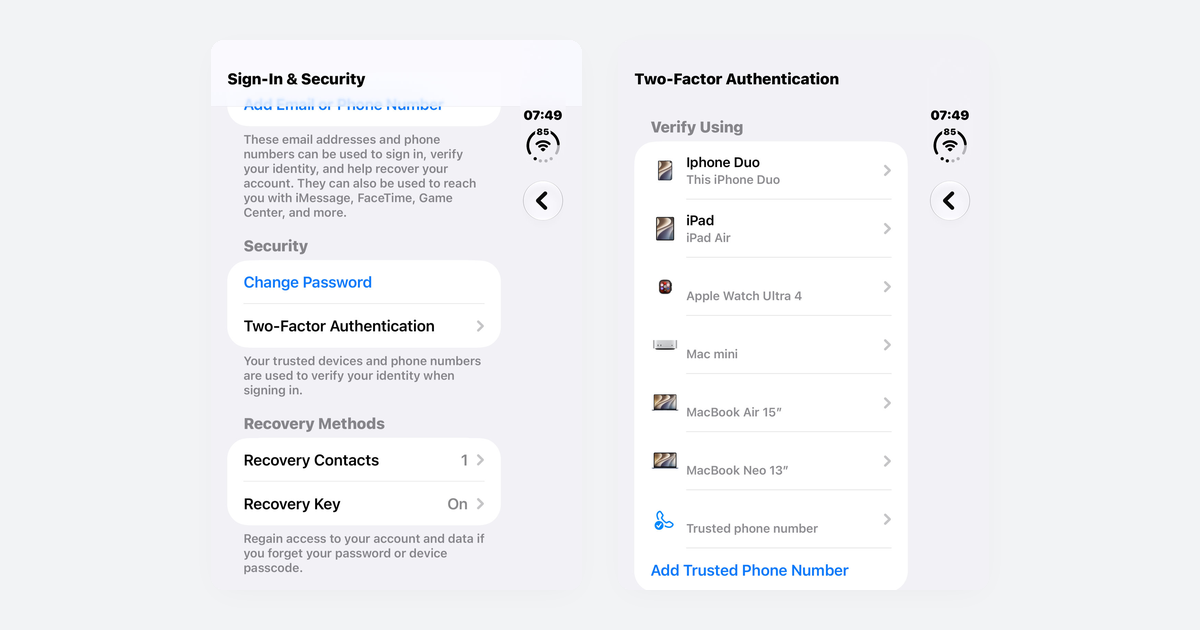
How to Turn On Two-Step Verification for Google, Apple, Microsoft, Facebook, Instagram and Amazon
Open each account's security settings, turn on two-step verification, and save backup codes plus a second way back in.
Accounts & Security · 14 min read
Is This a Scam? 4 Warning Signs and What to Do Next, for Parents, Kids and Grandparents
Watch for someone pretending to be trusted, a sudden problem or prize, pressure, and a request for gift cards, crypto, or a wire.
Scams · 8 min read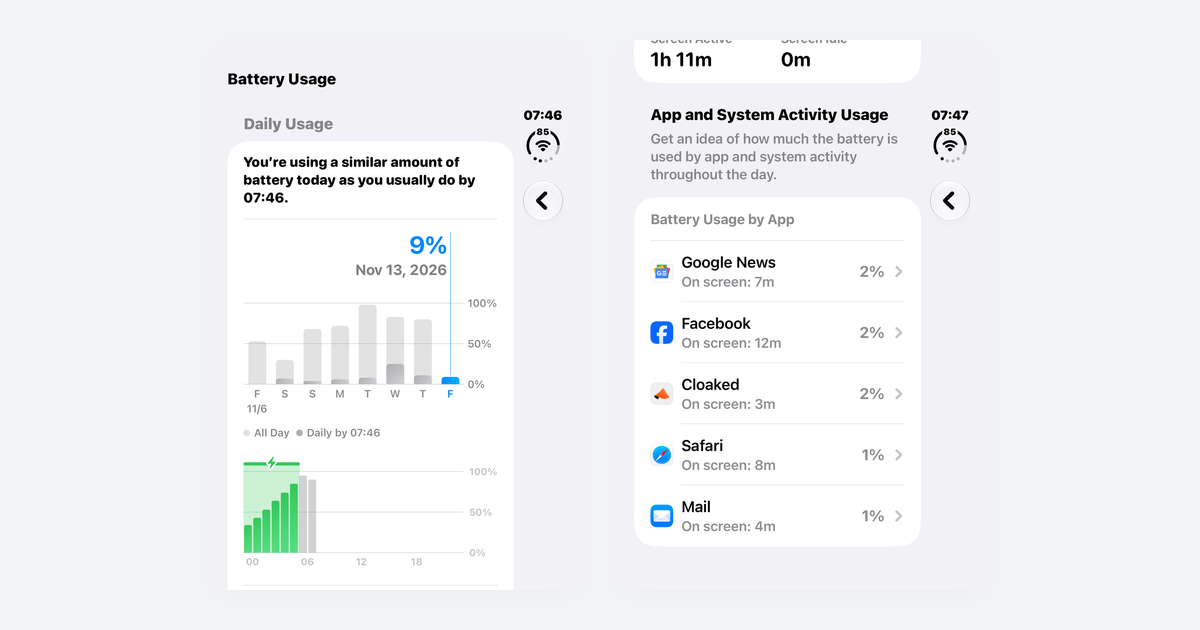
Phone Battery Draining Fast? Free Fixes for iPhone and Android
If you just updated, wait a few days; then check which app is using power, turn on battery saver, and dim the screen.
Phones & Storage · 10 min read